
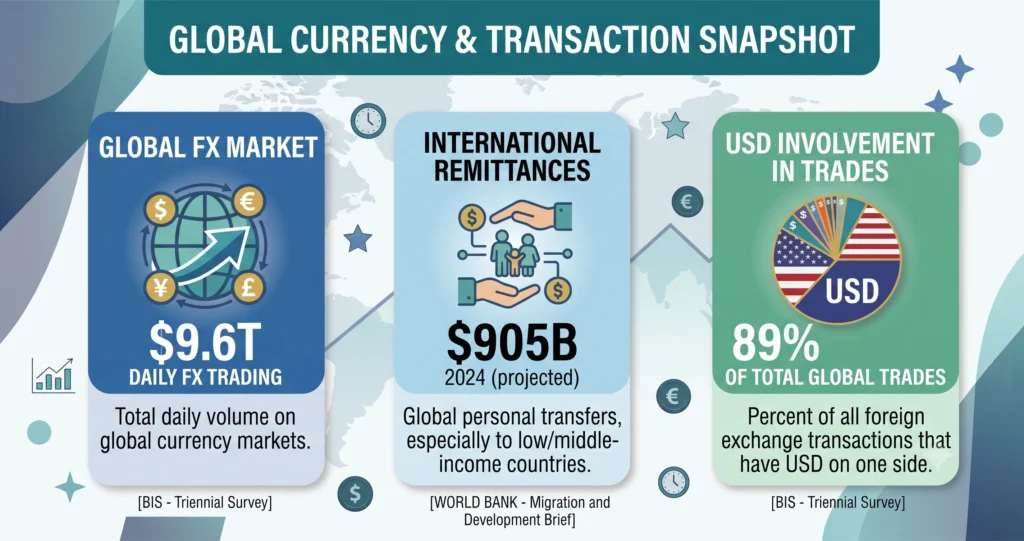
Every day, roughly $9.6 trillion changes hands in the global foreign exchange market the highest daily turnover the Bank for International Settlements has ever recorded, and up 28% in just three years BIS, 2025 Triennial Survey. You’re not trading trillions. But if you travel, freelance for overseas clients, shop on international sites, or send money home, you’re part of that flow and the right currency converter app quietly decides how much of your money survives the exchange.
The problem is that most “best app” lists read like they were written by someone who never opened the apps. So we did the boring part for you: we compared the leading apps on the things that actually matter accuracy, fees, offline access, supported currencies, and how honest each one is about the rate you actually get.
Key takeaways
- Best all-in-one: XE Currency Converter — trusted rates, 130+ currencies, transfers, alerts, and charts in one app.
- Best for actually sending money: Wise — uses the real mid-market rate with transparent, upfront fees.
- Best design and offline use: Currency Converter Plus — fast, clean, works in airplane mode.
- Best for traders: OANDA — accurate rates and deep historical data professionals trust.
- Best free & simple: Easy Currency Converter (Android) and My Currency Converter & Rates (iPhone).
- The money-saver most people miss: the rate shown for a transfer usually includes a hidden markup. Always compare it to the mid-market rate.
Best currency converter apps at a glance
| If you’re a… | Best app | Why |
|---|---|---|
| Frequent traveler | XE / Currency Converter Plus | Offline mode + huge currency list |
| Sending money abroad | Wise | Mid-market rate, low transparent fees |
| Forex or crypto trader | OANDA / All Currency Converter | Accuracy, charts, rate alerts |
| iPhone minimalist | My Currency Converter & Rates | Clean, converts as you type |
| Android on a budget | Easy Currency Converter | Free, fast, offline |
| Just need a quick check | Google Finance / Google search | Instant, no install, no ads |
How we evaluated these apps
We didn’t rank on download counts alone. Each app was judged on six criteria:
- Rate accuracy — how close the reference rate sits to the mid-market rate, and how often it updates.
- Fee transparency — whether the app is honest about markups on transfers.
- Offline capability — can it convert with cached rates when you have no signal?
- Currency & asset coverage — number of currencies, plus crypto and precious metals where relevant.
- Usability — speed, clarity, and how little it fights you with ads or clutter.
- Trust & safety — reputable developer, sensible data practices, official store presence.
Where an app is primarily a transfer service (like Wise or Revolut), we weighted real, all-in cost most heavily because a beautiful converter that hands you a bad rate at checkout isn’t saving you anything.
The 10 best currency converter apps in 2026
1. XE Currency Converter best all-in-one
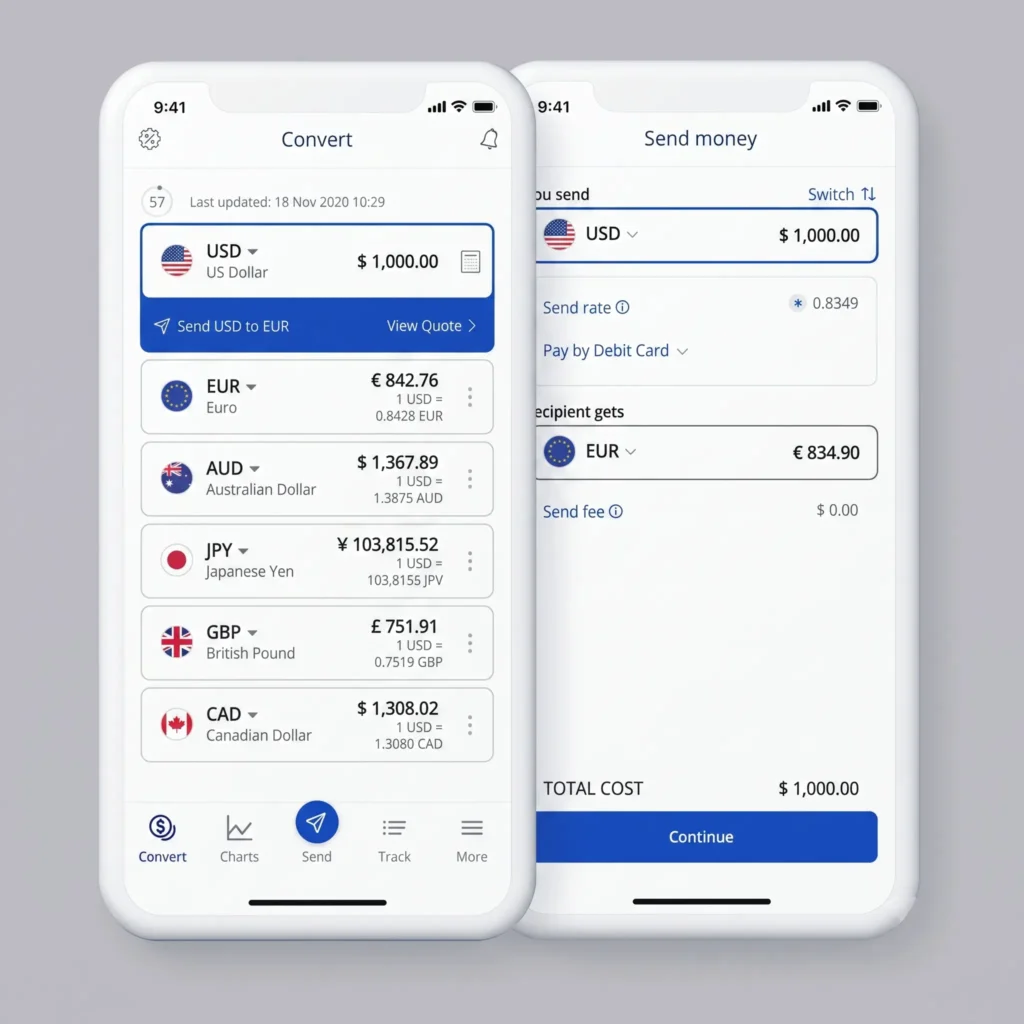
XE is the app most people should start with. It shows live rates for around 130 currencies, supports international transfers, sends target-rate alerts, and plots historical charts going back years all in one place. With tens of millions of downloads and a long track record, it’s the closest thing to an industry default.
- Platforms: iOS, Android, web
- Standout: rate alerts + up to a decade of historical charts
- Pros: trusted rates, huge feature set, works offline with last-saved rates
- Cons: the all-in-one approach makes the interface busier than minimalist rivals; transfers aren’t always the cheapest
- Best for: travelers and anyone who wants one reliable app for everything
2. Wise: best for actually sending money
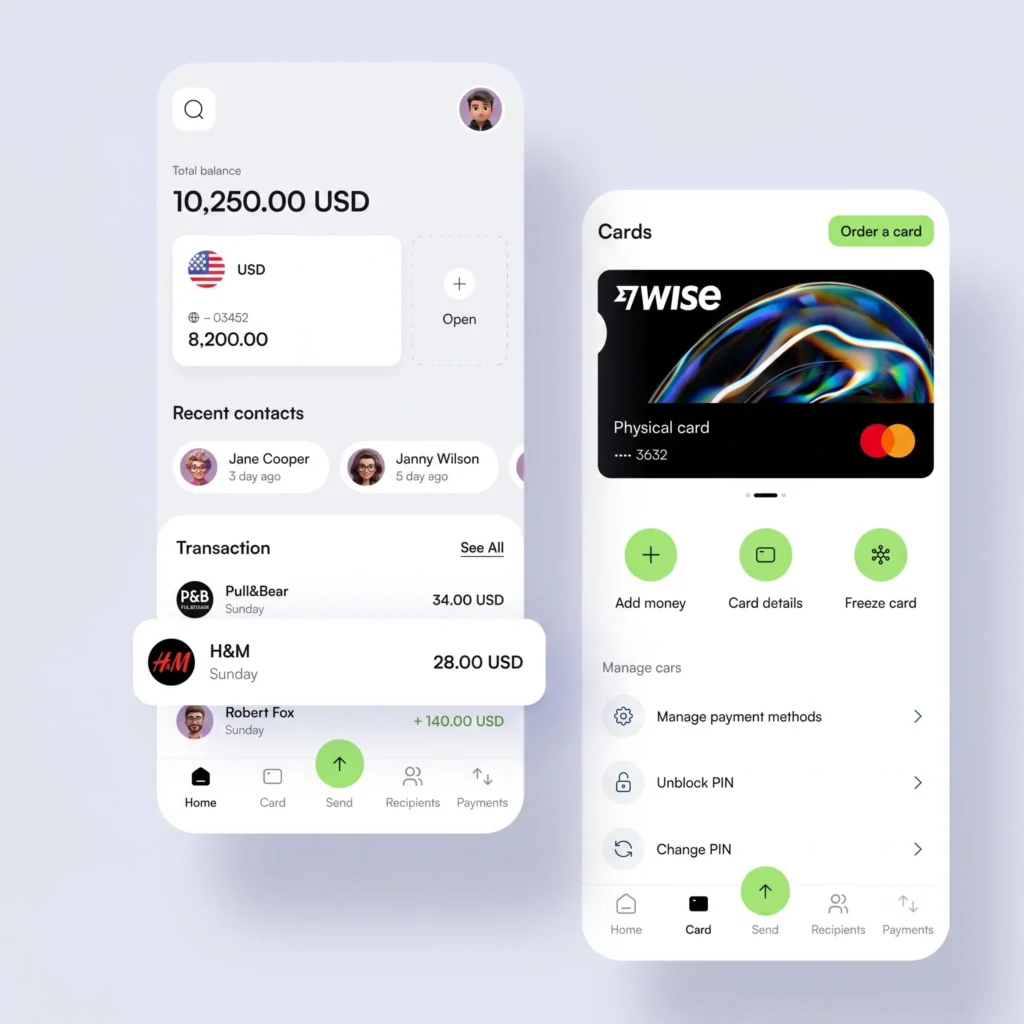
Here’s the distinction that saves real money: most apps show you a rate, but Wise gives you the mid-market rate — the same “real” rate you see on Google — and charges a clear, upfront fee instead of hiding a markup inside the exchange rate. Its free converter app also lets you compare what different providers would actually deliver, fees included. When you’re moving money across borders, that transparency matters: the World Bank pegs the global average cost of sending $200 at 6.4%, more than double the 3% international target World Bank.
- Platforms: iOS, Android, web
- Standout: mid-market rate + true all-in cost comparison
- Pros: genuinely transparent pricing, clean interface, multi-currency account
- Cons: it’s a converter and a financial product full features need an account
- Best for: freelancers, expats, and anyone sending money internationally
3. Currency Converter Plus: best design and offline use
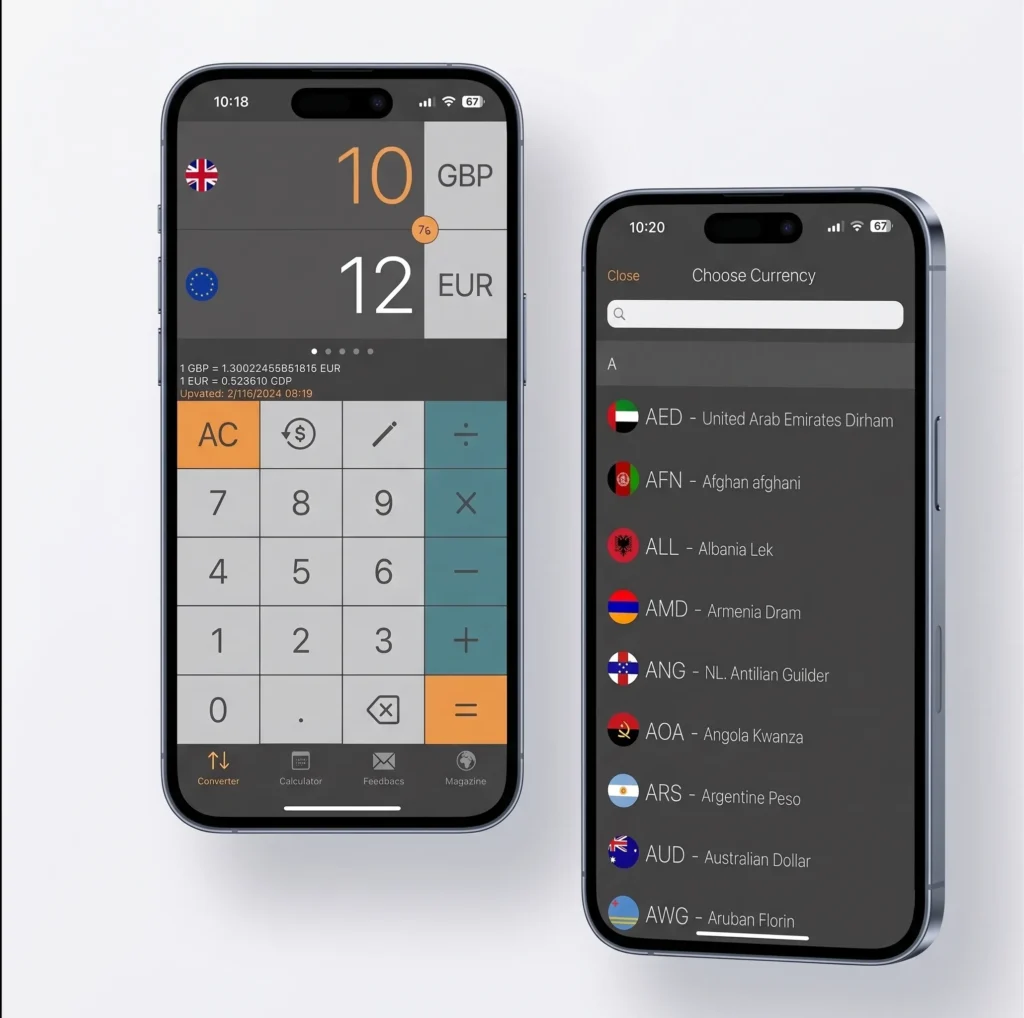
If you value a fast, uncluttered experience, Currency Converter Plus is a joy. It covers 170+ currencies plus Bitcoin and precious metals, uses its own rate engine for accuracy, and crucially works fully offline with cached rates. Convert several currencies at once, view charts from a week to a year, and do it all without a signal.
- Platforms: iOS, Android
- Standout: polished UX + reliable offline mode
- Pros: beautiful, fast, multi-currency at a glance, high store ratings
- Cons: free version shows ads
- Best for: travelers who lose connectivity and design-conscious users
4. OANDA: best for traders and accuracy
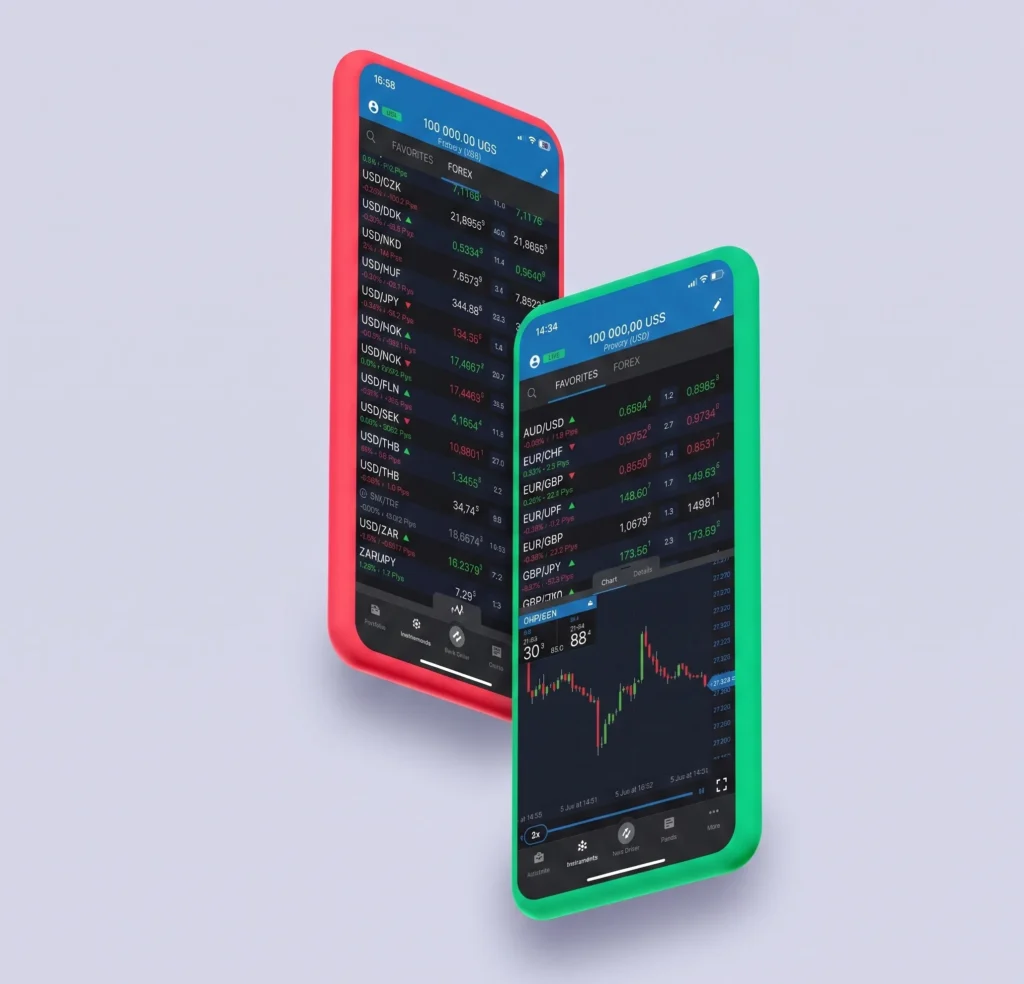
OANDA is a favorite among forex traders and finance professionals for one reason: rate accuracy. It tracks historical rates in detail, so you can see how a pair has behaved over time, and its data reputation is hard to beat. If you make decisions based on exchange-rate movement rather than a one-off holiday conversion, this is your tool.
- Platforms: iOS, Android, web
- Standout: professional-grade accuracy and historical data
- Pros: trusted by traders, filterable historical rates, clean pro interface
- Cons: more depth than a casual user needs
- Best for: traders, accountants, and finance pros
5. Easy Currency Converter: best simple free app (Android)
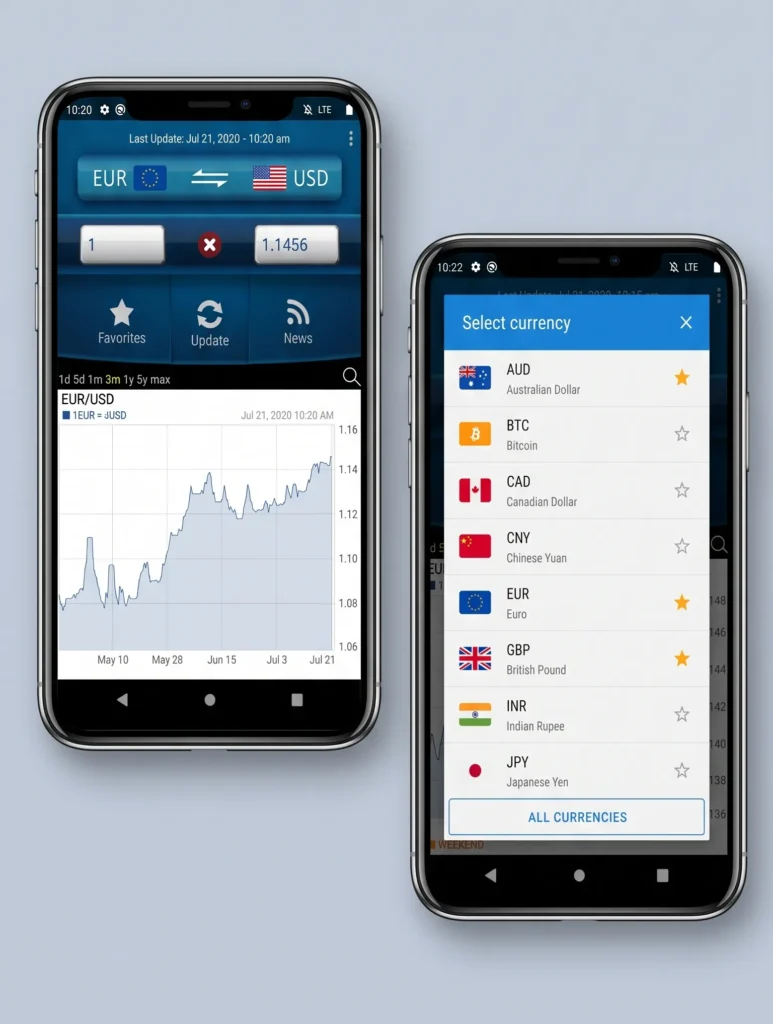
Easy Currency Converter does exactly what its name promises. It supports 200 currencies plus major cryptocurrencies, updates rates frequently, and offers offline mode and a battery-friendly dark theme. It loads instantly and stays out of your way ideal for beginners.
- Platforms: Android (with an iOS counterpart)
- Standout: simplicity + very broad currency support
- Pros: free, fast, offline, dark mode
- Cons: fewer pro features; ads in the free tier
- Best for: everyday Android users who want zero friction
6. My Currency Converter & Rates: best for iPhone
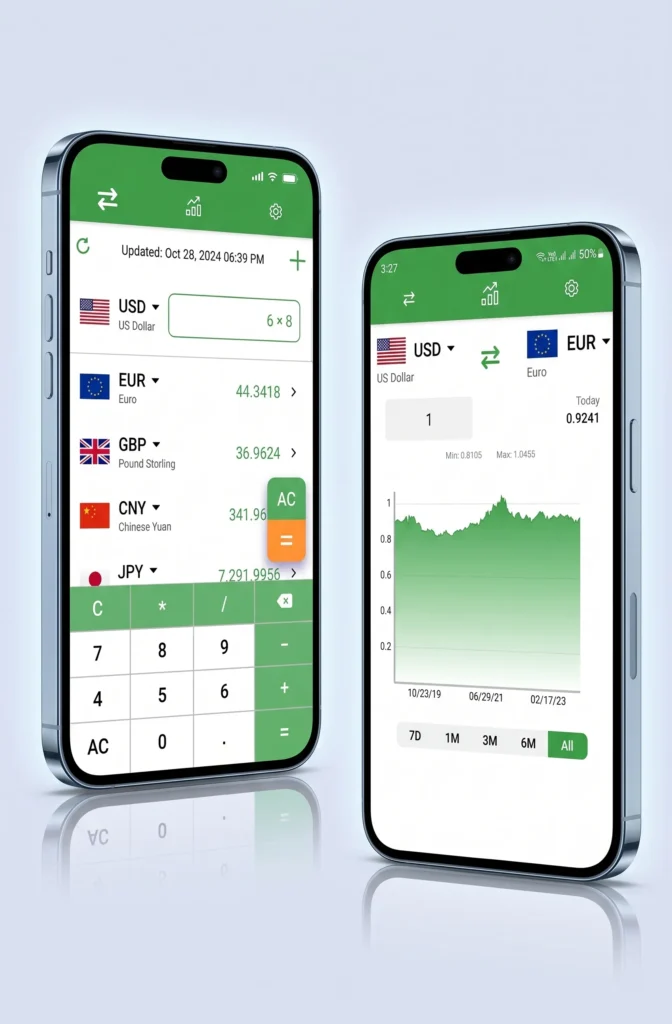
The cleanest converter on iOS. It supports 150+ currencies, converts as you type (no convert button), works offline, and shows rates to three decimal places for accuracy. Travelers love it precisely because it does one thing beautifully.
- Platforms: iOS, iPad
- Standout: convert-as-you-type simplicity
- Pros: gorgeous, fast, offline, accurate to 3 decimals
- Cons: ad-supported; iOS only
- Best for: iPhone users who want elegance over features
7. Revolut: best multi-currency travel wallet
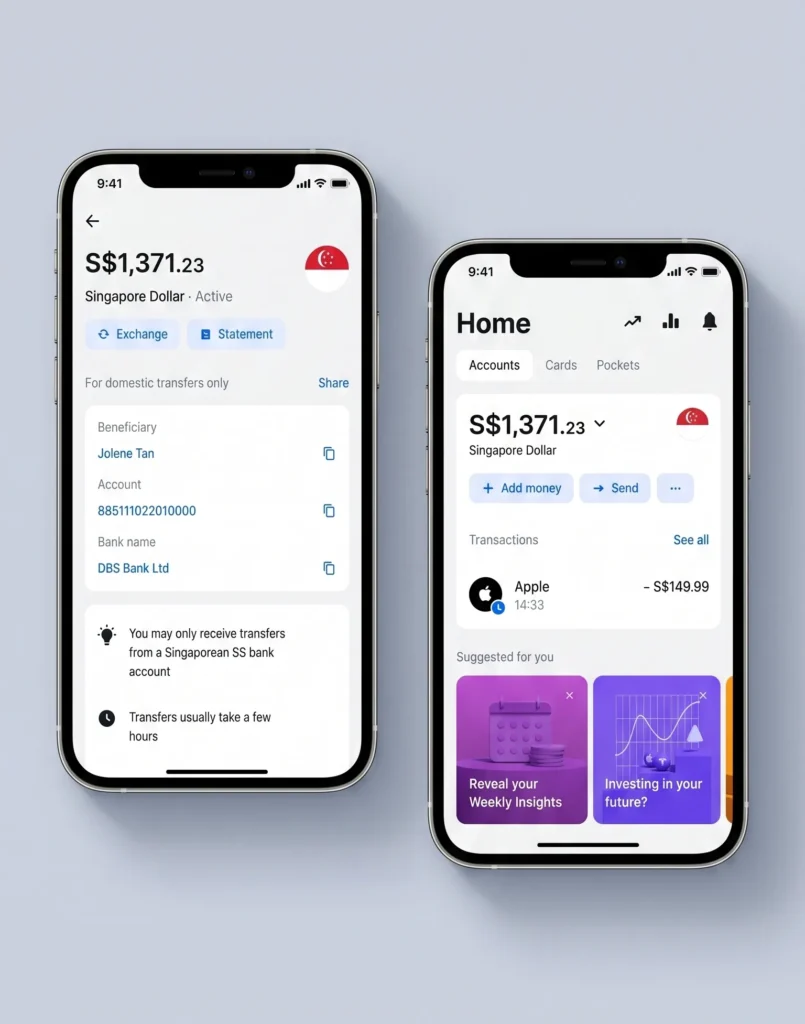
Revolut blurs the line between converter and bank. Hold and spend dozens of currencies, exchange near the interbank rate (within plan limits), and pay abroad without the classic card-network markup. It’s less a “converter” and more a travel-spending superpower but the built-in conversion is exactly why travelers install it.
- Platforms: iOS, Android, web
- Standout: hold + spend multiple currencies from one card
- Pros: excellent for spending abroad, near-interbank rates, budgeting tools
- Cons: best rates/limits depend on plan tier; it’s a full financial account
- Best for: frequent travelers and digital nomads
8. All Currency Converter: best for crypto and precious metals
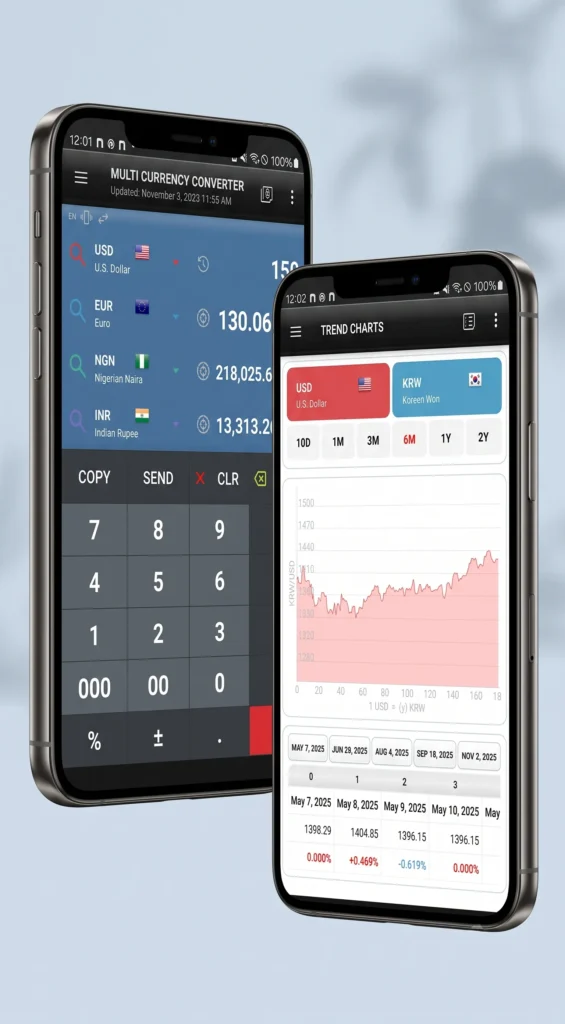
For users who track more than fiat, All Currency Converter handles 170+ currencies alongside Bitcoin, gold, and silver, with live updates, multi-currency comparison (compare several at once), rate alerts, and charts spanning up to two years. Country profiles and a tip calculator are nice extras.
- Platforms: Android
- Standout: fiat + crypto + metals in one dashboard
- Pros: rate alerts, deep comparison tools, permanent ad-removal option
- Cons: Android only; ads in free version
- Best for: crypto-curious users and multi-asset watchers
9. Google Finance / Google converter: best for a quick check
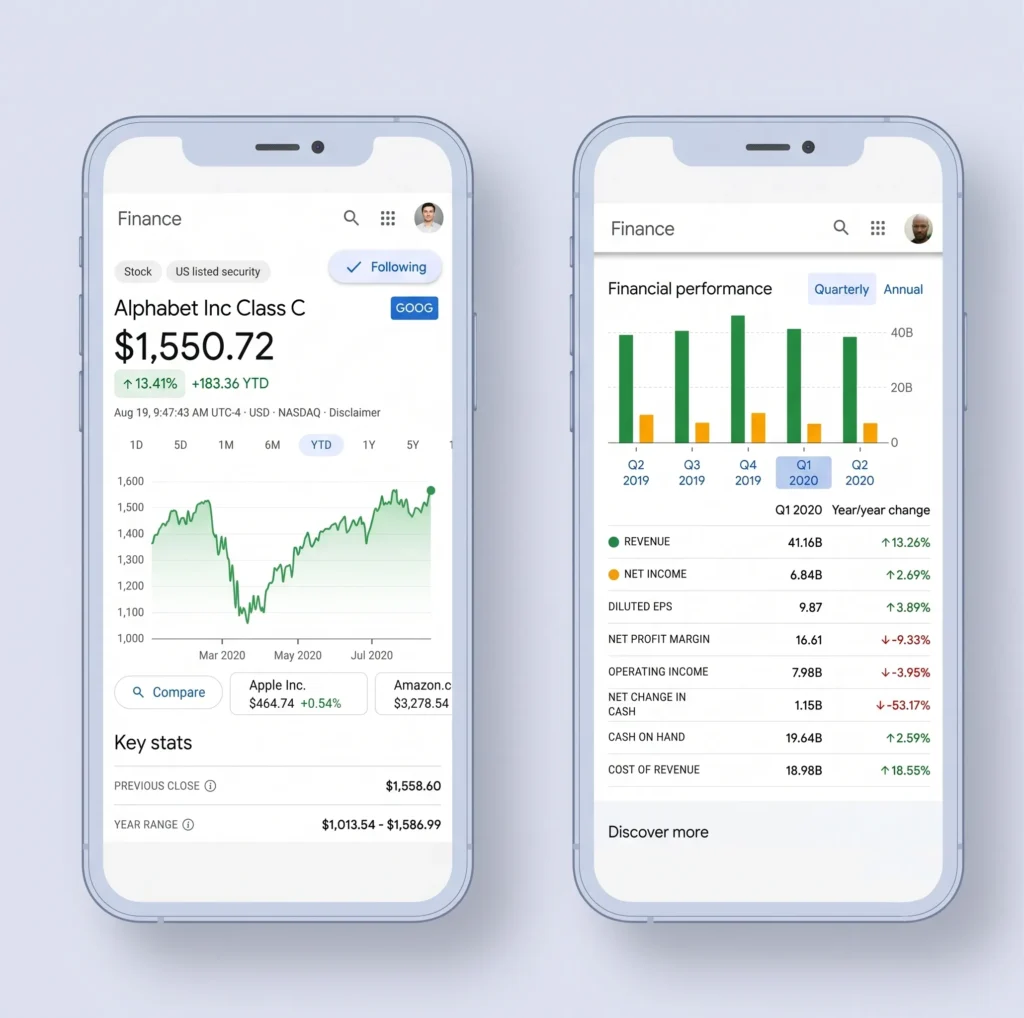
Sometimes you don’t need an app at all. Type “USD to PHP” (or any pair) into Google and you get an instant, up-to-date conversion with no install, no login, and no ads. It’s not a full app no offline mode, no alerts but for a fast sanity check, nothing is quicker. Use it to verify the rate an app or bank quotes you.
- Platforms: any browser
- Standout: zero-friction instant answer
- Pros: always available, free, current
- Cons: no offline use, no advanced features
- Best for: quick one-off checks and rate verification
10. Forex Currency Rates: best lightweight forex charts
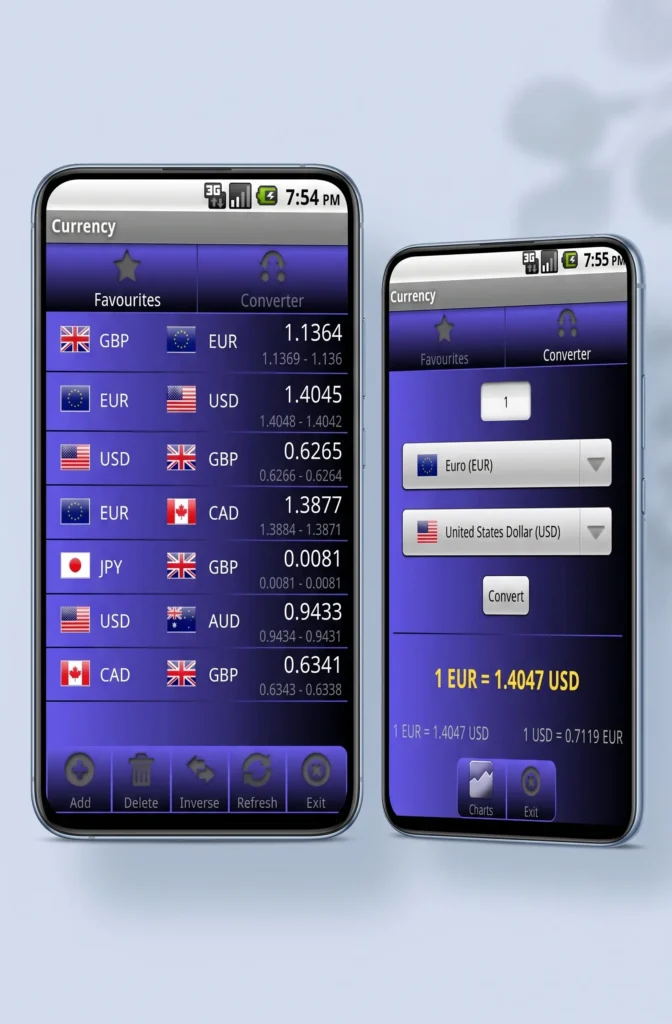
A simple, focused app for daily conversions and rate-watching. It covers 140+ currencies plus precious metals, lets you build custom pairs, invert selections, and compare multiple currencies against one figure with charts that keep it useful for casual traders.
- Platforms: Android
- Standout: custom pairs + lightweight charts
- Pros: free, flexible comparisons, favorite pairs with target rates
- Cons: ads unless you upgrade to Pro; Android only
- Best for: travelers and traders who want charts without bloat
Full comparison table
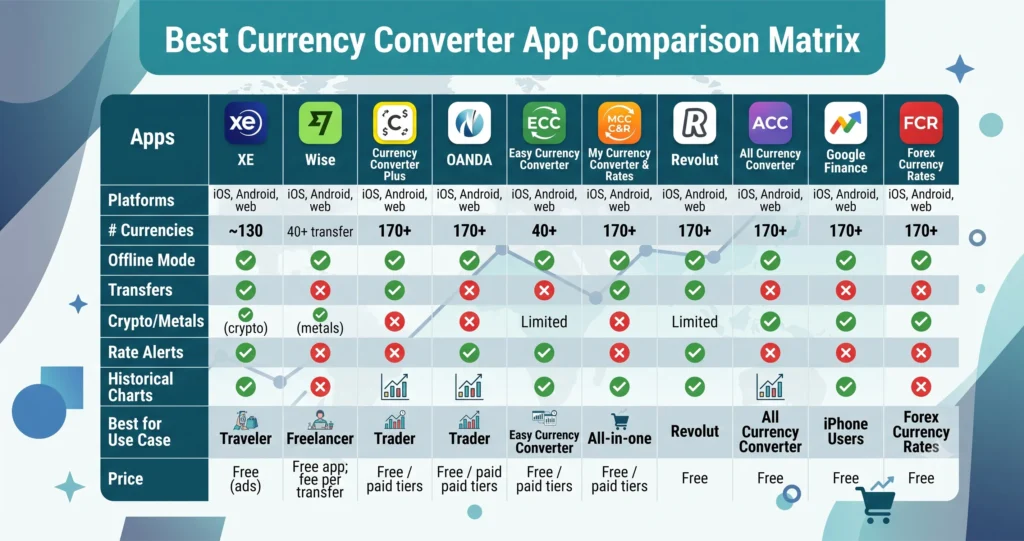
Currency counts and features change with updates confirm the latest in each app’s store listing.
Free vs paid currency converter apps
Most people never need to pay. Free apps cover live rates, offline mode, and dozens of currencies; they simply monetize with ads or optional upgrades. You’d pay only for a specific reason:
- Remove ads — a small one-time purchase or subscription for a cleaner experience.
- Advanced features — deeper history, more simultaneous comparisons, priority rate updates.
- Transfers — with Wise or Revolut you don’t pay for the app, you pay a fee per transfer (and that fee is usually far smaller than a bank’s hidden markup).
Rule of thumb: choose a free app for looking up rates, and a transparent transfer service for moving money.
The hidden cost most people miss: mid-market rate vs the rate you actually get
This is the section that pays for itself.
The mid-market rate (also called the interbank or “real” rate) is the midpoint between the buy and sell price of a currency the rate you see on Google or XE. It’s the fairest reference point. But when you exchange money at a bank, an airport kiosk, or through many apps’ transfer features, you rarely get that rate. Providers quietly widen the spread a markup and that markup is often bigger than any visible “fee.”
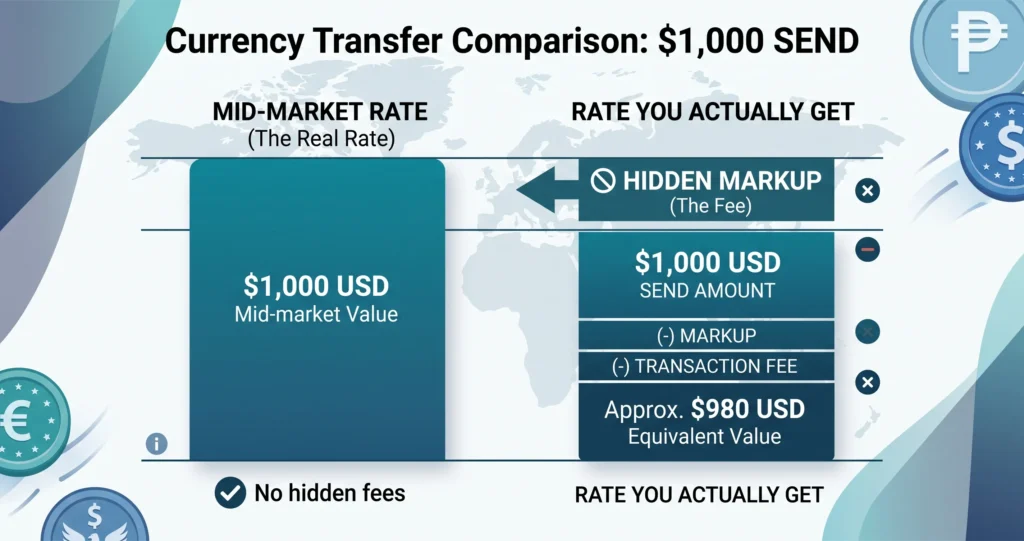
Here’s why it matters at scale: sending money digitally costs about 5% on average worldwide, versus 7% through non-digital channels World Bank. On a $1,000 transfer, the gap between a fair rate and a marked-up one can quietly cost you $20–$60. Multiply that across a year of freelance payments or family remittances the Philippines alone received $40 billion in remittances in 2024, and Mexico $68 billion World Bank and the “small” markup becomes real money.
How to protect yourself: before any transfer, note the mid-market rate in a converter like XE or Google, then check the rate the transfer service is offering. Apps like Wise show the mid-market rate and the fee separately, so the markup has nowhere to hide.
How to choose the right currency converter app
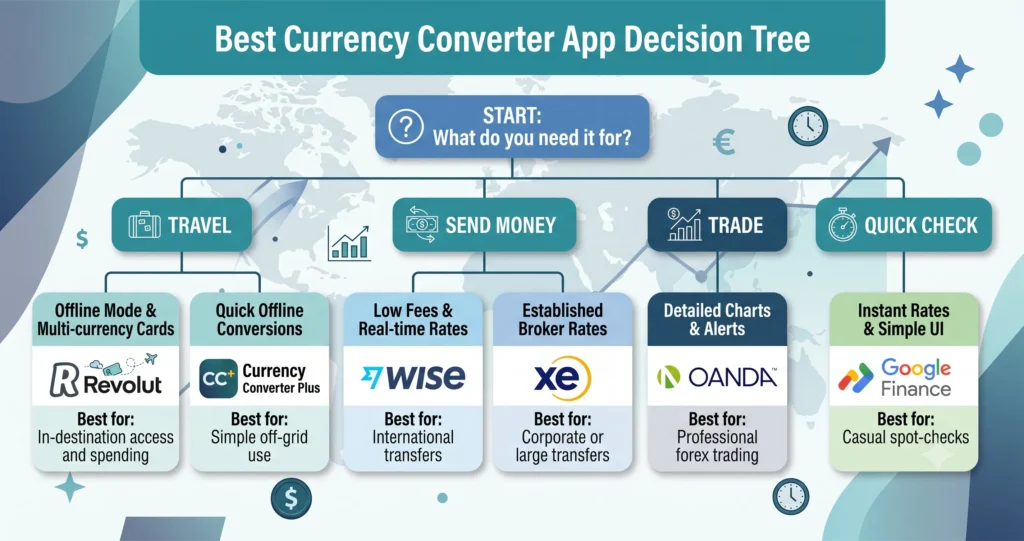
The best app depends entirely on what you’re doing with your money.
For travelers
Prioritize offline mode and a broad currency list, since you’ll convert on the move, often without signal. XE, Currency Converter Plus, and Easy Currency Converter all shine here. If you also want to spend abroad without card markups, add Revolut.
For freelancers and remote workers
You’re receiving foreign payments regularly, so fee transparency wins. Wise’s mid-market rate and clear fees usually beat a bank, and its multi-currency account lets you hold earnings until the rate improves.
For traders
You need accuracy and history. OANDA and All Currency Converter give you dependable rates, detailed charts, and target-rate alerts so you can act on movement rather than guess.
For online shoppers
You mostly want a quick, honest check at checkout. Google’s converter or any free app with convert-as-you-type (like My Currency Converter & Rates) does the job in seconds.
How to convert currency accurately (and popular pairs)
Converting is simple, but doing it accurately takes three habits:
- Use a live mid-market rate as your reference (XE, Google, or Wise).
- Convert the full amount, including any fee not just the sticker rate.
- Re-check before you commit, because rates move minute to minute.
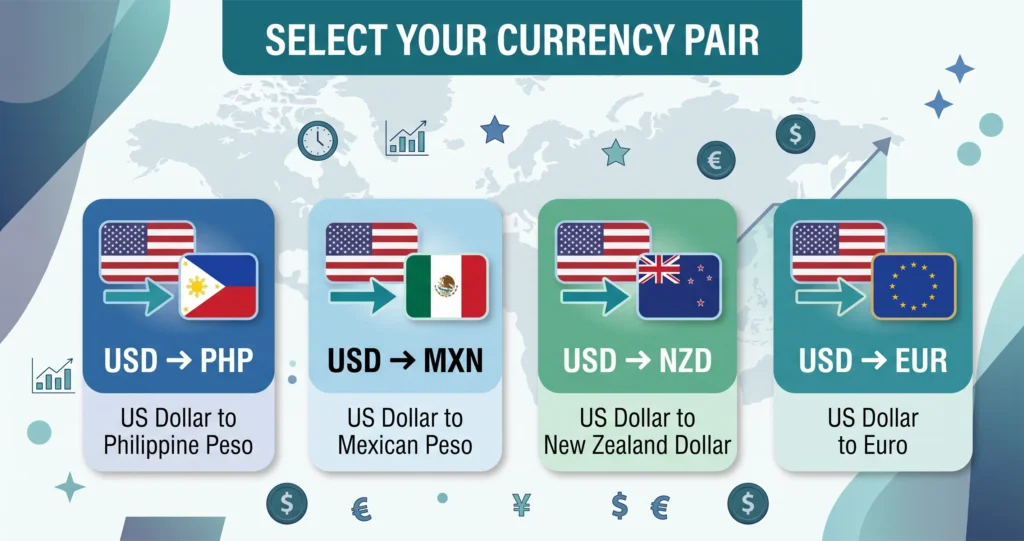
Popular pairs people convert most
- USD to PHP — one of the highest-volume corridors, driven by the Philippines’ huge remittance inflows.
- USD to MXN — Mexico is the world’s second-largest remittance recipient.
- USD to NZD — common for travelers and cross-Pacific shoppers.
- USD to EUR / GBP — the backbone pairs of international commerce; the US dollar sits on one side of nearly 89% of all FX trades BIS.
For any of these, open your converter, enter the amount, pick the pair, and confirm the timestamp on the rate. For a transfer, always compare the delivered amount, not just the headline rate.
Are currency converter apps accurate and safe?
Accuracy: For reference rates, yes. Reputable apps pull live mid-market data updated by the second from global financial feeds. The caveat is transfers the rate you’re offered to send money may include a markup, so compare it to the mid-market rate.
Safety: The well-known apps XE, Wise, OANDA, Revolut, Currency Converter Plus are safe to use. A few sensible rules keep you protected: download only from the official App Store or Google Play, check the developer name and reviews, and be wary of unknown apps requesting excessive permissions. A pure converter shouldn’t need access to your contacts or files.
Thinking about building your own currency converter app?

Maybe you’re not just looking for an app you’re wondering whether to build one. It’s a reasonable question: these apps serve a massive, permanent audience, and many earn well through ads, subscriptions, and transfer commissions.
Cost scales with ambition. A basic converter with live rates typically runs $10,000–$25,000; add offline mode, charts, and multiple currencies and you’re at $25,000–$50,000; a fully featured product with AI insights, alerts, and payment rails can exceed $50,000–$100,000+. The bigger challenges aren’t the calculator they’re a reliable exchange-rate API, a genuinely clean UI/UX, offline caching, and the trust and security a finance app demands.
That’s the kind of work we do. Go Tech Solutions builds secure, high-performance fintech and custom software and mobile apps we’ve shipped multi-currency features into a live marketplace, a forex training platform, and a unified travel app with real-time data and payments. New to the process? Start with our guide to what mobile application development involves, or estimate your build cost in a couple of minutes.
Frequently asked questions
What is the best currency converter app?
XE is the best all-round currency converter for most people, thanks to trusted rates, offline mode, and a full feature set. If your goal is to send money, Wise is better because it uses the real mid-market rate with transparent fees.
What is the most accurate currency converter app?
For reference rates, XE, OANDA, and Wise are among the most accurate, pulling live mid-market data. OANDA is the pick for traders who need detailed historical accuracy.
Which currency converter app has the best exchange rate?
For an actual transfer, Wise typically gives the best real rate because it uses the mid-market rate and shows fees upfront rather than burying a markup in the exchange rate.
Are currency converter apps free?
Most are completely free and monetize with ads or optional upgrades. You only pay for ad removal, advanced features, or per-transfer fees with services like Wise and Revolut.
Do currency converter apps work offline?
Many do. XE, Currency Converter Plus, Easy Currency Converter, and My Currency Converter & Rates all convert using cached rates without a connection ideal for travel.
What’s the best free currency converter app for iPhone?
My Currency Converter & Rates is the top free iPhone pick for its clean, convert-as-you-type design; XE is the best free all-rounder on iOS.
What’s the best currency converter app for Android?
Easy Currency Converter and Currency Converter Plus are the standout free Android apps; All Currency Converter is best if you also track crypto and precious metals.
Are currency converter apps safe to use?
Yes, the reputable ones are. Download only from official app stores, check reviews and the developer, and avoid apps that request permissions a converter shouldn’t need.
What’s the difference between the mid-market rate and the app rate?
The mid-market rate is the “real,” fair exchange rate. Many transfer services add a markup on top, so the rate you actually get is slightly worse. Always compare the two before sending money.
Final verdict
For most people, XE Currency Converter is the best currency converter app in 2026 accurate, feature-rich, and dependable whether you’re online or offline. If you regularly send money, install Wise instead and let the mid-market rate keep more cash in your pocket. Travelers should add Currency Converter Plus or Revolut, and traders should reach for OANDA.
Whichever you choose, remember the one habit that beats any app feature: check the mid-market rate first, and never let a hidden markup decide how much of your money makes it across the border.