Case Study

Dash ProFx Training Portal

Digitizing compliance training through automation, from course and user management to role-based access control and audit-ready documentation.

Project Overview

A comprehensive look at how we transformed manual compliance training into a secure, auditable learning management platform.

Overview

Dash ProFx needed a centralized compliance training system for regulated industries like insurance and finance. They required a single platform to manage employee certifications, training completion, and audit-ready documentation, replacing scattered spreadsheets and manual processes. Go Tech Solutions delivered a secure, role-based Learning Management System (LMS) that serves as the single source of truth for all compliance and training data.
The Challenge

Regulated industries require strict compliance oversight, but Dash ProFx faced critical gaps: no centralized visibility into training completion or certification expiry dates, manual employee onboarding with risk of permission errors, no structured separation of user access levels, and compliance data scattered across multiple tools, with no unified system for training management, granular role-based access control, or immediate compliance visibility.

Our Solution

Go Tech Solutions built the Dash ProFx Training Portal, a web-based Learning Management System with four core functions: Course Management, User Management, Role Definition, and Granular Permission Control. A unified dashboard with a single left-hand navigation sidebar lets administrators move seamlessly between modules, while role-based access control ensures every user sees exactly what their role requires.

Screen-by-Screen Walkthrough

01

Create Course

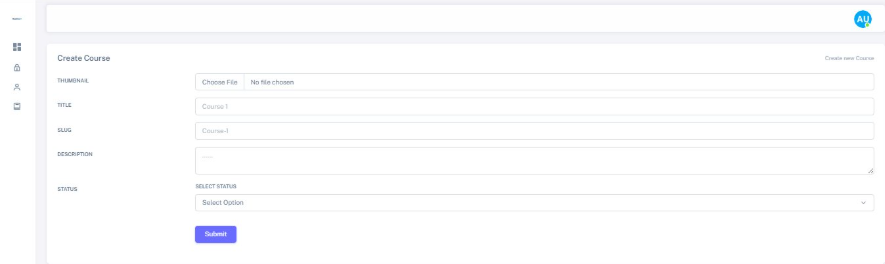
The Create Course screen empowers administrators to publish mandatory and elective training content directly, eliminating developer dependency. A streamlined form captures Thumbnail images, Course Title, URL-friendly Slug generation, Description, and Status control (Published, Draft, or Hidden). A single Submit button and top-right shortcut button keep course creation a one-step task.

Dash ProFx Create Course screen for publishing training content
02

Create User

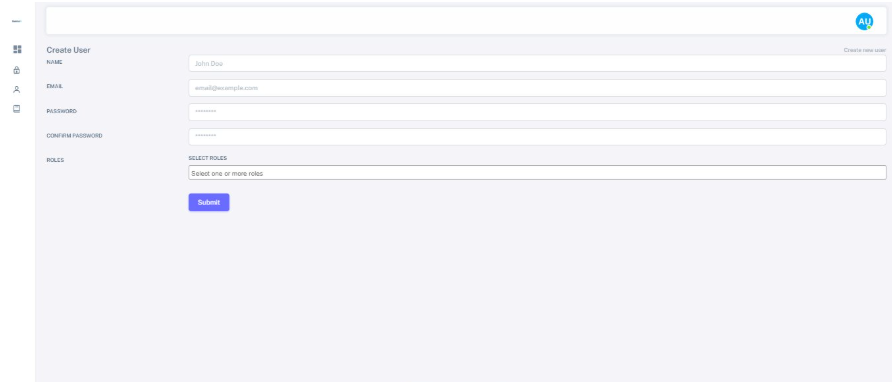
New employees are onboarded through the Create User screen, where administrators assign Name, Email, Password, and multi-select Roles in a single workflow. Tying role assignment to account creation ensures correct permissions from the first login, closing the common gap where new accounts remain unrestricted until someone remembers to configure access later.

Dash ProFx Create User onboarding screen
03

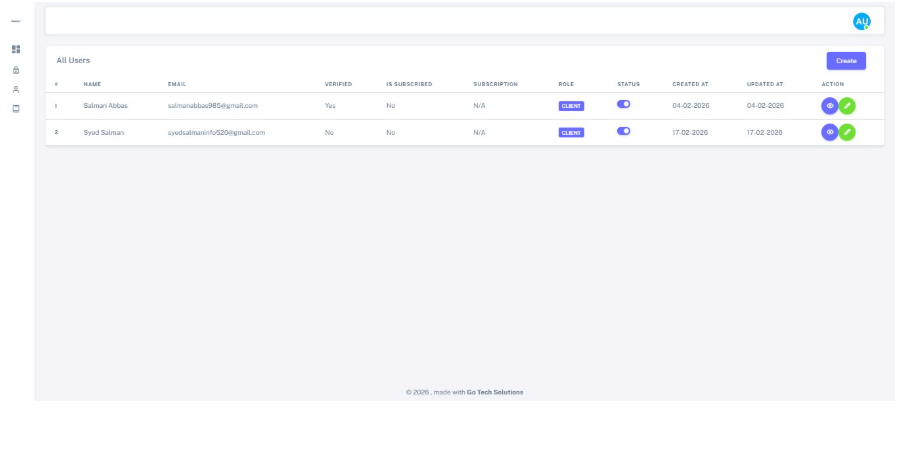
All Users

The All Users table displays Verified status, Subscription details, assigned Roles (shown as colored tags), Active/Inactive Status toggles, and timestamp data. View and edit icons in the Action column allow quick account management without page navigation. This single-screen view replaces multi-step lookups traditionally required for compliance auditing.

Dash ProFx All Users directory screen
04

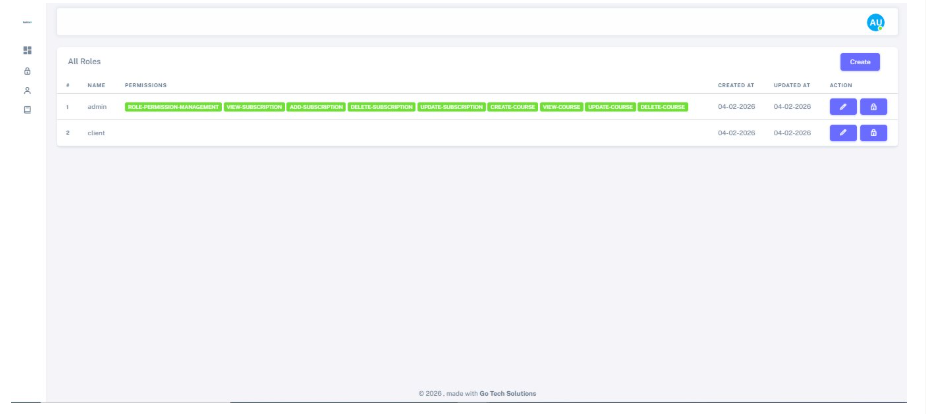
All Roles

The All Roles screen lists every role alongside its exact permissions as colored tags (ROLE-PERMISSION-MANAGEMENT, VIEW-SUBSCRIPTION, CREATE-COURSE, DELETE-COURSE). Edit and lock icons allow administrators to modify permission sets, while a Create button enables new roles as the organization grows, all without code changes.

Dash ProFx All Roles management screen
05

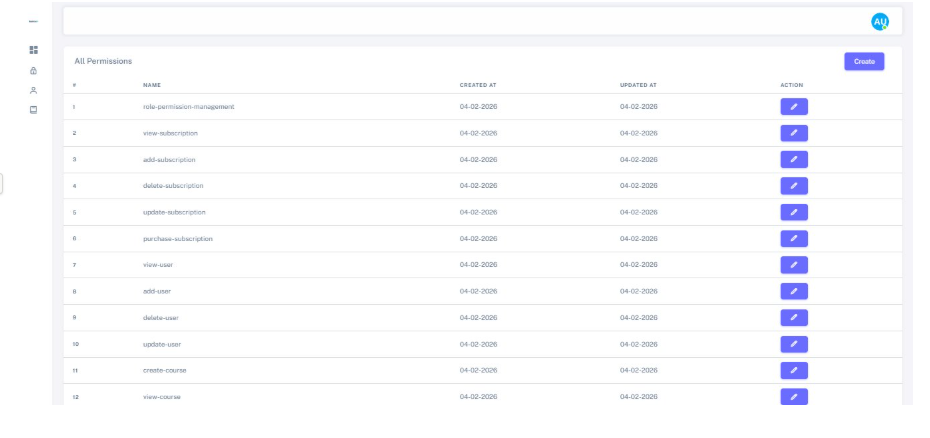
All Permissions

The All Permissions registry maintains a master list of granular actions: role-permission-management, view-subscription, add-subscription, delete-subscription, update-subscription, purchase-subscription, view-user, add-user, delete-user, update-user, create-course, and view-course. These building blocks combine to create flexible roles adapted to evolving compliance requirements.

Dash ProFx All Permissions registry screen
Key Features

Comprehensive Feature Set

Dash ProFx empowers regulated organizations with a centralized compliance training platform designed to scale employee certifications and audit-ready documentation.

Centralized Learning Dashboard

Single interface for monitoring staff progress and course activity without tool switching.

Video-Based Training Modules

Structured video content delivery for consistent compliance and professional development.

Document Certification Tracking

Certification status and renewal dates tracked against each user profile.

Role-Based Access Control

Granular permission system ensuring appropriate access for each user type.

User Management & Auditing

Create, verify, update, and deactivate accounts from a centralized directory with full history visibility.

Integrated Support Ticket System

Built-in support tools keep learner requests tracked alongside training data.

Real-Time Login Monitoring

Monitor user access patterns to flag unusual activity before compliance issues arise.

Course Progress Analytics

Individual and organizational-level tracking for compliance team reporting.

Automated Compliance Alerts

Proactive flagging of approaching deadlines and incomplete modules.

Secure Enterprise Authentication

JWT-based authentication protecting sensitive training and personnel data.

Project Outcome

Project Outcome & Business Impact

Dash ProFx now operates corporate compliance training on a single, auditable platform purpose-built for regulated industries. The results include:

Centralized Compliance Oversight

All compliance and training data now lives in one system instead of spreadsheets and email threads, enabling faster audits and stronger regulatory compliance.

Faster Staff Onboarding

New hires receive correct role-based access in a single step rather than through manual configuration after account creation.

Stronger Access Control

Granular, role-based permissions eliminate over-privileged accounts and reduce security risk while maintaining operational efficiency.

Platform Built to Scale

New roles, courses, and permission combinations add seamlessly as Dash ProFx grows, without requiring system rework or developer involvement.

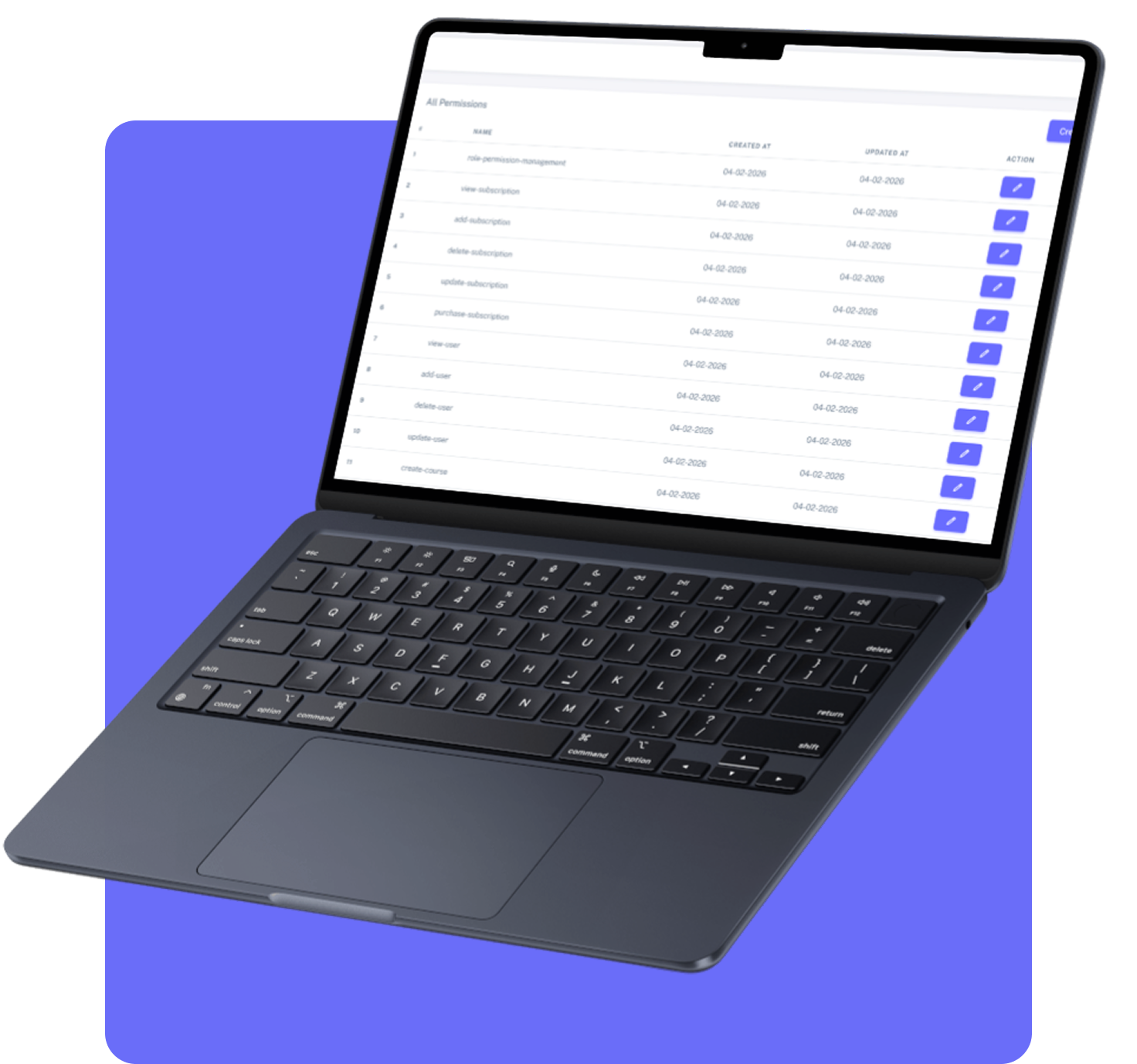
Dash ProFx web application project outcome and business impact
Technology Stack

Built With Modern Technology

We used industry-leading technologies to ensure scalability, security, and performance.

Frontend

ReactTailwind CSS

Backend

Node.jsExpressREST APIs

Database

PostgreSQL

Infrastructure

Cloud HostingCI/CDAutomated Backups

Security

JWT AuthRole-Based Access Control (RBAC)Encrypted StorageAudit Logs
Ready to Get Started?

Let’s Build Something Worth Having

If your organization is managing employee training, certifications, and compliance deadlines through disconnected spreadsheets and tools, it’s time for a smarter system. Just like we did for Dash ProFx, Go Tech Solutions can design and build a custom training and compliance platform tailored to your industry.

Let’s bring centralized course management, role-based access, and real-time compliance tracking to your organization.

The next step is simple:

Book a free 30-minute consultation. We’ll listen to what you’re building, ask the right questions, and give you an honest assessment of timeline, approach, and fit. No pressure. No sales pitch. Just a real conversation.

Get Custom Proposal, 24hr Response

Tell Us About Your Project

Our team will outline scope, timeline, and investment within 24 hours.

By submitting this form, you agree to our Privacy Policy.

Call Us

+1 469 809 6982

Email Us

info@gotechsolutions.co

Location

Houston, Texas, USA