Role-Based Onboarding
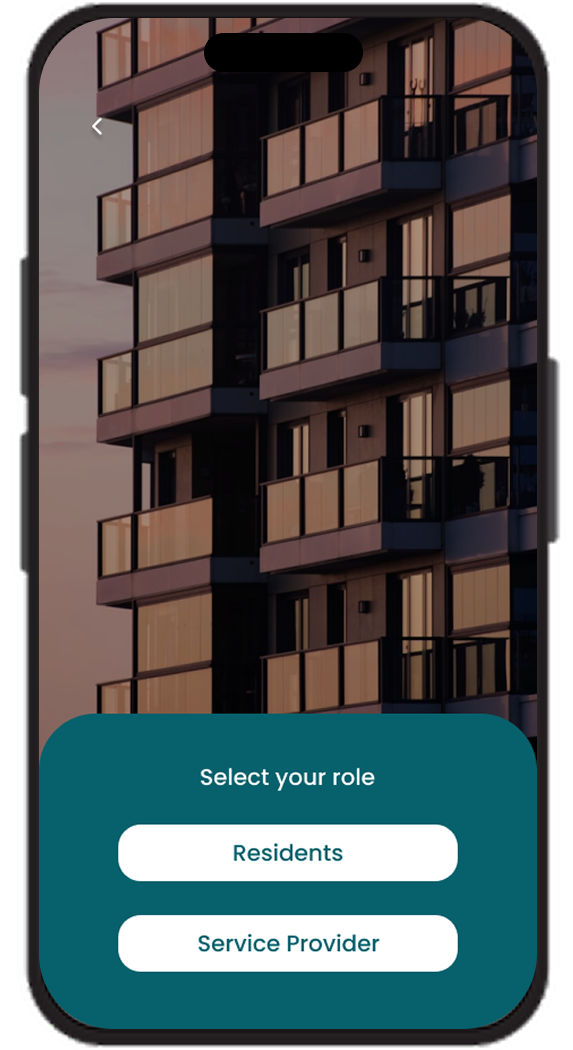
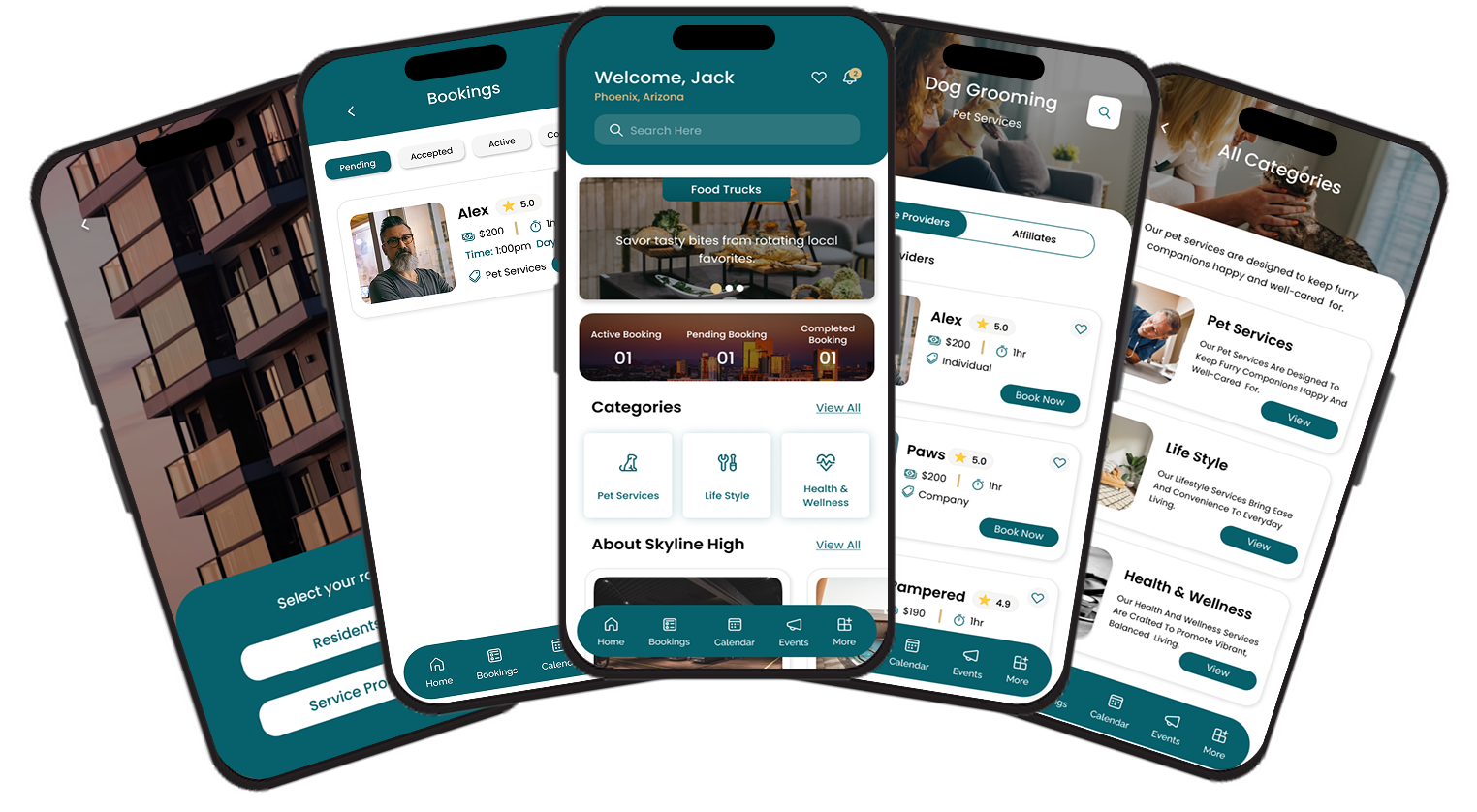
The mobile app opens with a simple role selector, letting each user choose between Residents and Service Provider, so the entire experience, navigation, and dashboard are tailored from the very first screen.
Personalized Resident Dashboard
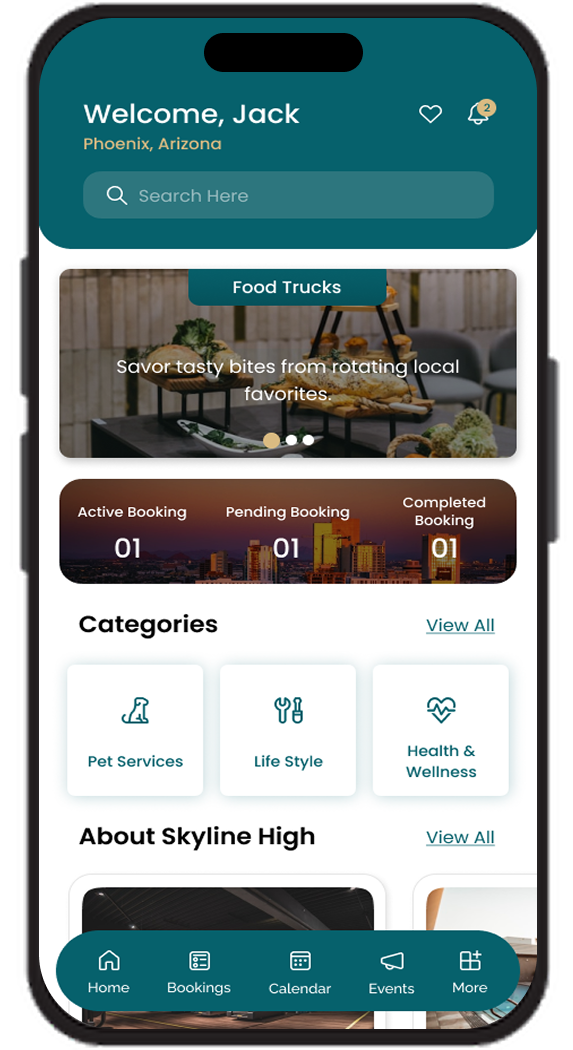
A warm "Welcome" home screen greets each resident by name and location, surfacing a search bar, featured offers, active and pending booking counters, and quick-access service categories all in one mobile app view.
Categorized Service Marketplace
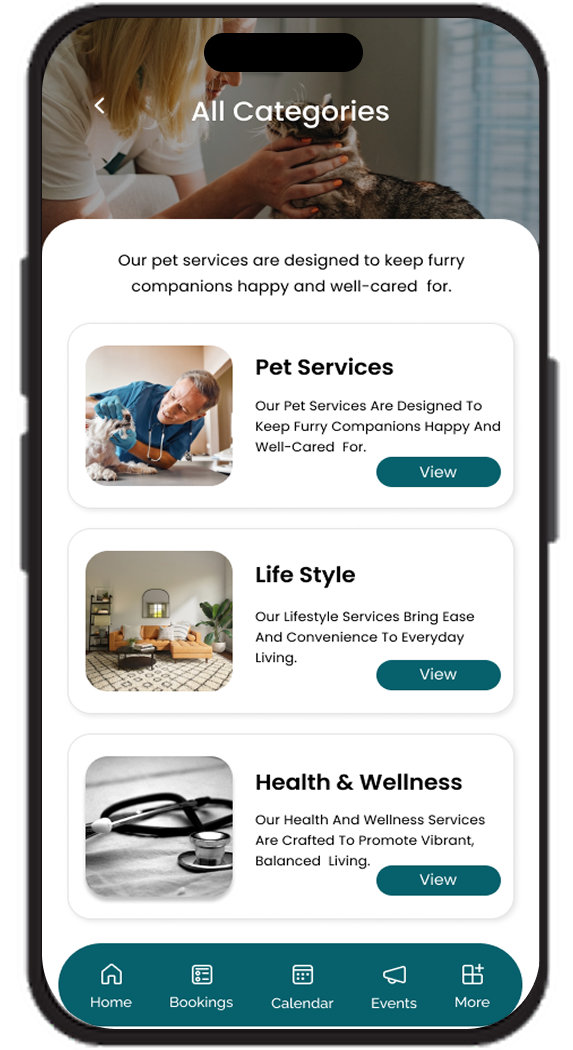
Within the app, services are organized into clear categories such as Pet Services, Life Style, and Health & Wellness, each with descriptive cards and imagery so residents instantly understand what is offered before they tap in.
Vetted Provider Listings
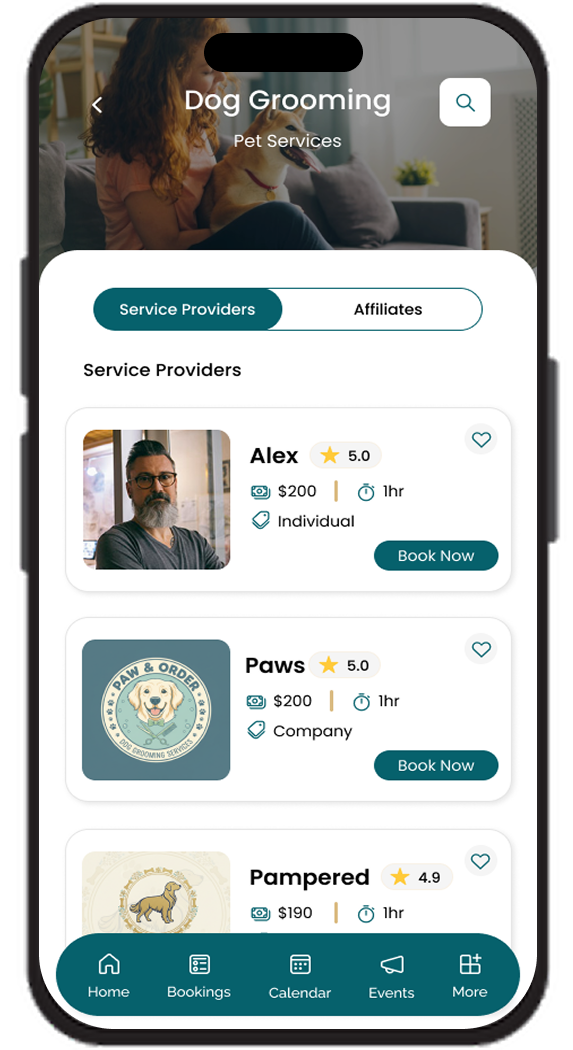
Inside each category, residents see a roster of individual professionals and affiliated businesses side by side, complete with ratings, pricing, and a one-tap Book Now action for instant service requests.
Instant Service Booking
Residents can move from browsing to booking in just a few taps within the app, with transparent per-service pricing displayed upfront for every provider and affiliate.
Real-Time Booking Pipeline
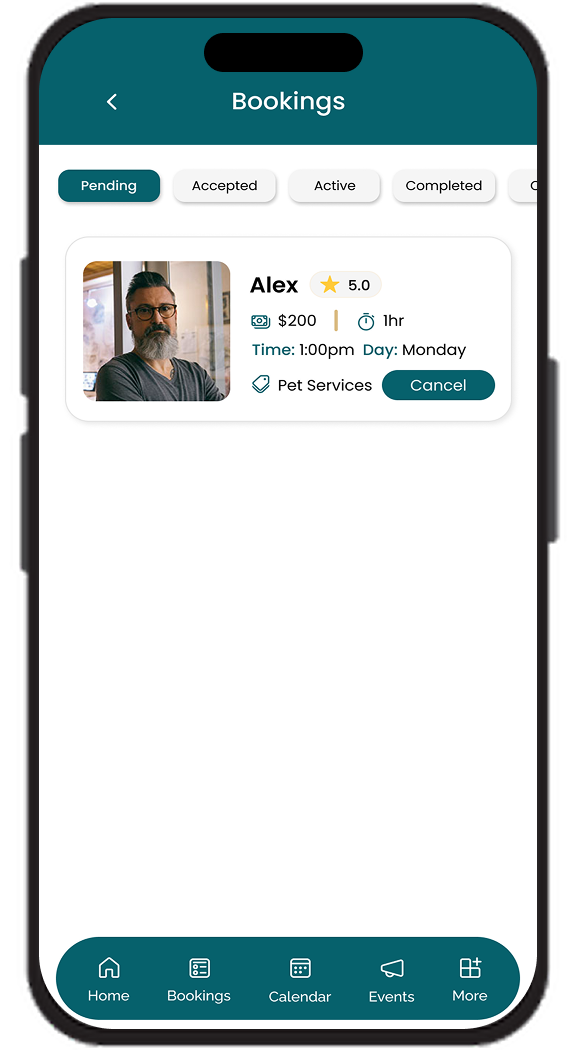
A dedicated Bookings screen in the app organizes every job into Pending, Accepted, Active, and Completed tabs, giving both residents and providers instant visibility into where each request stands.
Provider Job Management
Service providers can review booking details, accept or cancel requests, and start jobs directly from their booking cards within the mobile app, turning their phone into a complete field-service command center.
Persistent Bottom Navigation
A consistent bottom tab bar, Home, Bookings, Calendar, Events, and Profile, keeps core actions one tap away throughout the entire mobile app, reinforcing a smooth and predictable navigation pattern.