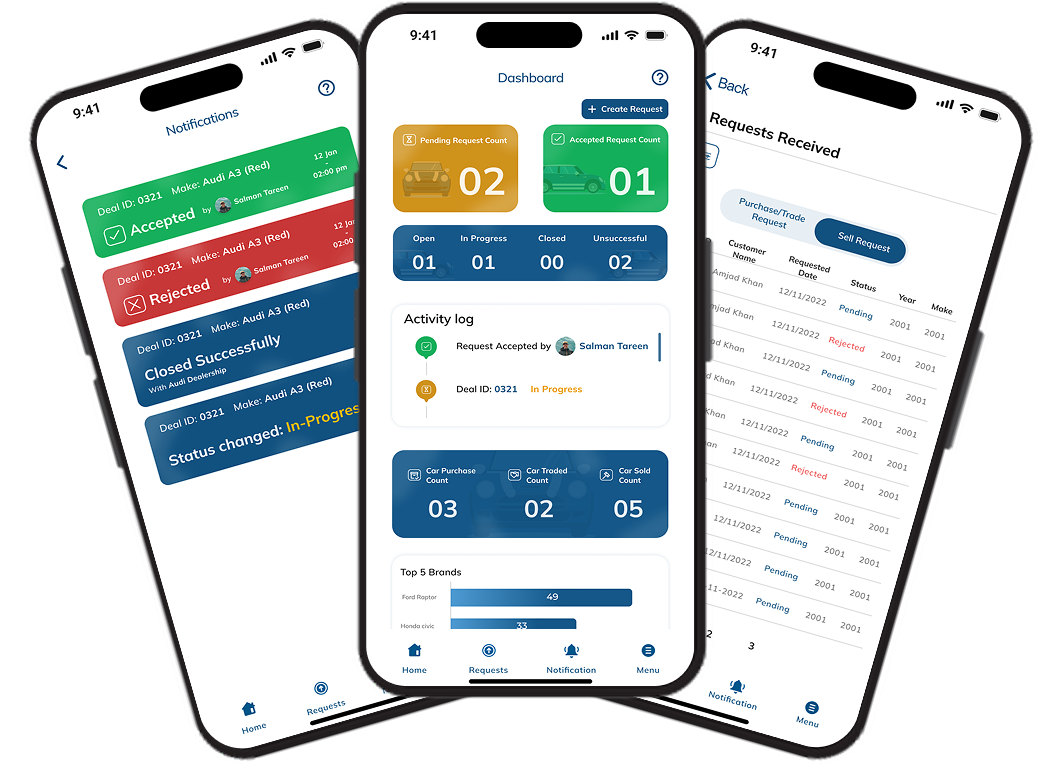
Performance Dashboard
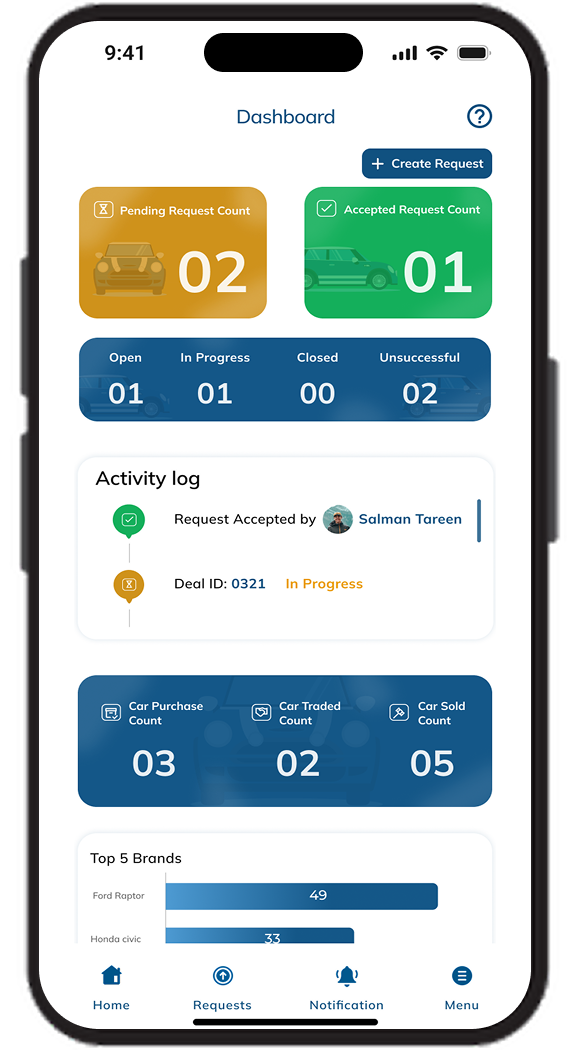
The Home dashboard surfaces key activity counters at a glance, alongside an Activity Log tracking metrics like Request Acceptance and Estimate Times, giving brokers an instant pulse on overall deal performance.
Centralized Request Management
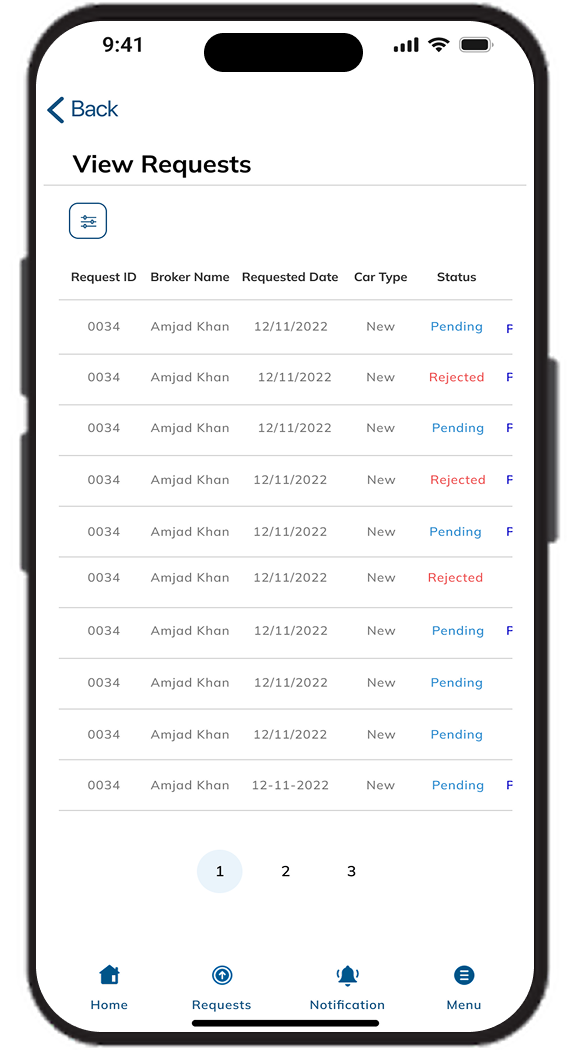
A dedicated Requests screen organizes every submission into Approved, Pending, and Cancelled counters at the top, with a built-in search bar so brokers can instantly locate a specific deal.
Detailed Broker Request Cards
Each request card displays the broker name, Request ID, Year, Make, Model, and Color, alongside contextual actions, Message Center, Cancel, or Resend, giving brokers full context and control without leaving the list view.
Real-Time Deal Notifications
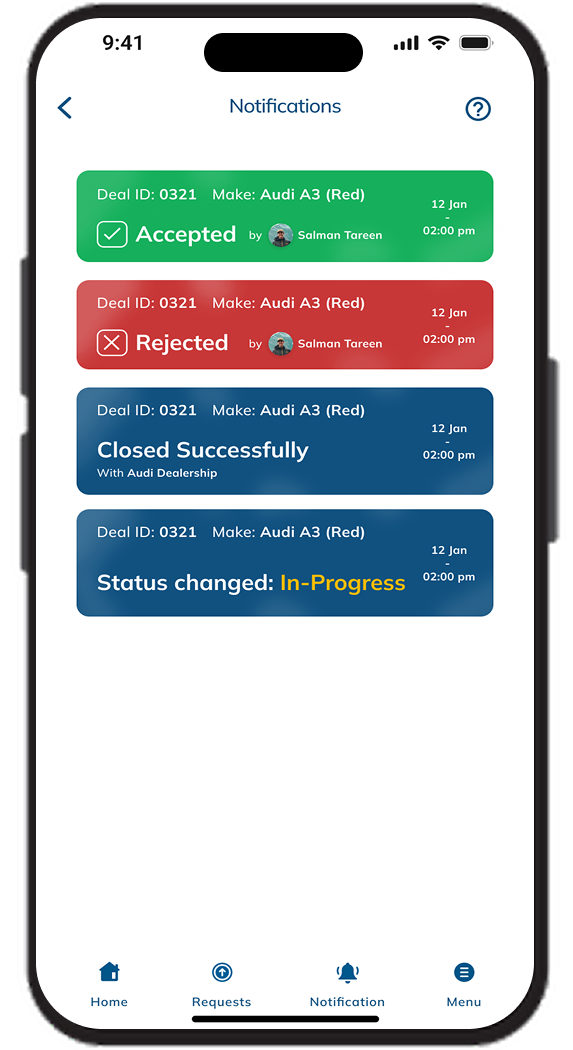
The Notifications screen delivers instant, color-coded alerts for every deal milestone, Accepted, Rejected, Closed Successfully, and Status changed: In-Progress, each tagged with the Deal ID, vehicle make, and timestamp.
Purchase, Trade & Sell Request Toggle
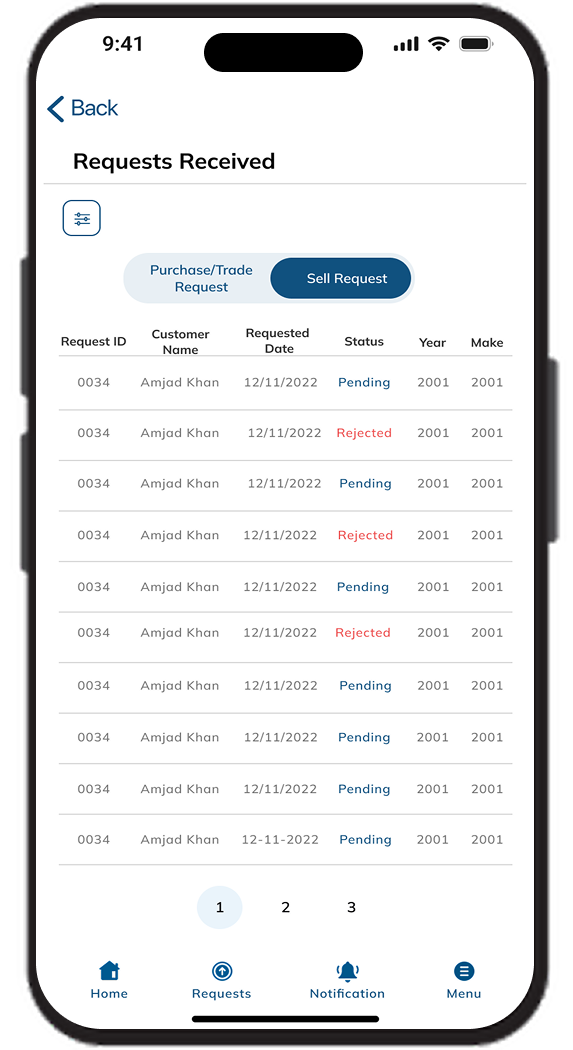
The Requests Received screen lets dealers switch between Purchase/Trade Requests and Sell Request views, ensuring incoming deal types are never mixed together in a single undifferentiated list.
Structured Requests Received Table
Dealers review incoming requests in a clean tabular layout, Request ID, Customer Name, Requested Date, Status, Year, and Make, with color-coded status text and pagination for managing high request volumes.
Persistent Bottom Navigation
A consistent bottom tab bar, Home, Requests, Notification, and Menu, keeps every core action one tap away throughout the entire mobile app, reinforcing a smooth and predictable navigation pattern across broker and dealer views.