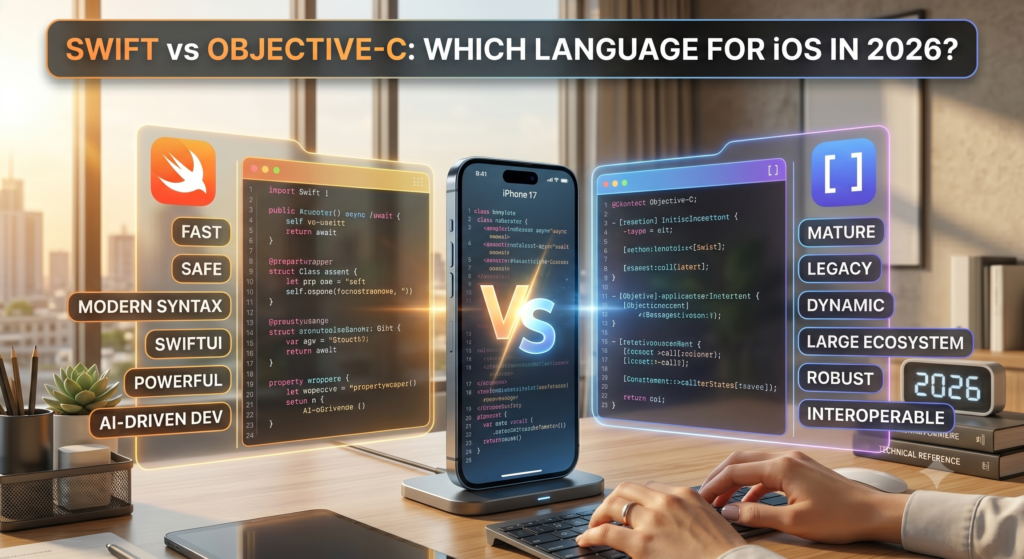
If you’re planning to build an iOS app in 2026, one of the very first decisions you’ll face isn’t about features or design it’s about language. Swift or Objective-C? Both run on Apple’s ecosystem, both compile to native machine code, and both have shipped some of the most successful apps in the App Store. But the gap between them in 2026 is wider than it has ever been.
Apple has openly bet its future on Swift. Every WWDC since 2015 has reinforced that direction, and frameworks like SwiftUI, Swift Concurrency, and the Swift 6 release cycle have made the modern choice clearer than ever. Yet Objective-C hasn’t disappeared. It still powers parts of UIKit, large portions of legacy enterprise apps, and several Apple system frameworks developers interact with every day.
This guide breaks down the Swift vs Objective-C comparison the way an experienced iOS team would think about it looking at performance, syntax, security, scalability, learning curve, long-term maintenance, and where each language genuinely fits in 2026. By the end, you’ll know exactly which language to pick for your next iOS project, whether you’re a solo developer, a funded startup, or a CTO planning a multi-year roadmap.
What Is Swift?
Swift is Apple’s modern, open-source programming language, first announced at WWDC 2014 and now in its mature, production-hardened form. Designed as a successor to Objective-C, Swift was built around three principles: safety, performance, and expressiveness.
Swift is a statically typed, compiled language that runs across Apple’s full ecosystem iOS, macOS, iPadOS, watchOS, tvOS, and visionOS as well as on Linux and Windows for server-side development. It powers everything from Apple’s own first-party apps to most new submissions on the App Store.
Key characteristics of Swift include:
- Type safety that catches errors at compile time
- Automatic memory management through ARC (Automatic Reference Counting)
- Protocol-oriented programming as a first-class paradigm
- Modern concurrency with async/await and actors
- Interoperability with Objective-C, C, and C++
- Tight integration with SwiftUI, Combine, and SwiftData
For most developers entering Apple’s ecosystem today, Swift is the default and Apple’s Developer Program, documentation, and tooling all reinforce that direction.
What Is Objective-C?
Objective-C is the language Apple’s ecosystem was built on for nearly three decades. Originally created in the early 1980s by Brad Cox and Tom Love, it became the foundation of NeXTSTEP, then macOS, and finally iOS when the iPhone launched in 2007.
Objective-C is a superset of C, adding Smalltalk-style object-oriented messaging on top of standard C syntax. That makes it powerful and flexible but also verbose and harder to read for newer developers. Every framework that powered the early iPhone era UIKit, Foundation, Core Data, Core Animation was originally written in Objective-C, and significant portions of those frameworks remain in Objective-C today.
Even in 2026, Objective-C still:
- Powers legacy enterprise iOS apps maintained for years
- Sits underneath many UIKit APIs developers still use
- Provides dynamic runtime behavior Swift can’t fully replicate
- Remains a supported language inside Xcode and the Apple Developer Program
It’s not dead it’s just no longer the future.
A Short History of Apple’s Programming Languages
To understand the Swift vs Objective-C debate in 2026, it helps to know how Apple got here.
- 1980s — Objective-C is created and licensed by NeXT, Steve Jobs’ company after Apple.
- 1996 — Apple acquires NeXT, bringing Objective-C and NeXTSTEP into the Mac ecosystem.
- 2001 — Mac OS X ships with Cocoa, written in Objective-C.
- 2007 — The iPhone launches; iOS SDK uses Objective-C as the primary language.
- 2014 — Apple unveils Swift at WWDC, calling it “Objective-C without the C.”
- 2015 — Swift becomes open source under the Swift.org project.
- 2019 — SwiftUI is announced, marking a clear move beyond UIKit’s Objective-C roots.
- 2021–2023 — Swift gains structured concurrency, actors, and macros.
- 2024–2026 — Swift 6 ships with full data-race safety, and Apple positions Swift as the universal language across all its platforms, including visionOS.
The trajectory is unambiguous: Apple is investing heavily in Swift, while Objective-C is being kept alive for compatibility not innovation.
Swift vs Objective-C: Core Differences
Before diving deeper, here’s a side-by-side comparison of how the two languages stack up in 2026.
| Feature | Swift | Objective-C |
| First released | 2014 | 1984 |
| Paradigm | Multi-paradigm, protocol-oriented | Object-oriented (Smalltalk + C) |
| Type safety | Strong, static, with optionals | Weak, dynamic |
| Memory management | ARC + value types | ARC (reference types only) |
| Syntax | Concise, modern | Verbose, bracket-heavy |
| Performance | Faster in most benchmarks | Slower, especially for math-heavy code |
| Concurrency | async/await, actors, Sendable | GCD, NSOperation |
| Null safety | Built-in via optionals | Manual nil checks |
| UI framework alignment | SwiftUI native | UIKit native |
| Apple’s focus in 2026 | Primary | Maintenance only |
| Learning curve | Gentle | Steep |
| Open source | Yes (Swift.org) | Yes (older, less active) |
| Cross-platform support | iOS, macOS, Linux, Windows, server | Mostly Apple platforms |
The takeaway is simple: Swift is the language Apple is building for the next decade. Objective-C is the language Apple is maintaining from the last one.
Syntax Comparison: Swift vs Objective-C
Nothing makes the swift vs objective c syntax difference clearer than seeing the same task written in both languages.
Hello World
Objective-C:
#import <Foundation/Foundation.h>
int main(int argc, const char * argv[]) {
@autoreleasepool {
NSLog(@”Hello, World!”);
}
return 0;
}
Swift:
print(“Hello, World!”)
Defining a Class
Objective-C:
@interface User : NSObject
@property (nonatomic, strong) NSString *name;
– (void)greet;
@end
@implementation User
– (void)greet {
NSLog(@”Hi, %@”, self.name);
}
@end
Swift:
struct User {
let name: String
func greet() {
print(“Hi, \(name)”)
}
}
Handling Optional Values
Objective-C:
if (user != nil && user.email != nil) {
NSLog(@”%@”, user.email);
}
Swift:
if let email = user?.email {
print(email)
}
Swift’s syntax is shorter, safer, and far easier for new developers to read. Objective-C’s bracket-based message passing is powerful but adds visual noise that slows down code reviews and onboarding.
Performance Comparison: Objective-C vs Swift Performance
When people search objective c vs swift performance, they’re usually trying to answer one question: Which one runs faster?
The short answer in 2026: Swift wins in nearly every modern workload.
Here’s why:
- Value types in Swift (structs, enums) live on the stack, avoiding heap allocation overhead common in Objective-C’s reference types.
- Generics in Swift are specialized at compile time, while Objective-C relies on dynamic dispatch through objc_msgSend.
- Swift’s compiler optimizations — including Whole Module Optimization (WMO) produce tighter machine code than Objective-C’s compiler in most benchmarks.
- Memory layout in Swift is more predictable, improving cache locality.
Apple’s own benchmarks during WWDC have shown Swift outperforming Objective-C on sorting, numerical processing, and SIMD-heavy operations by significant margins. Real-world iOS apps see the biggest gains in startup time, scroll performance, and concurrent workloads thanks to Swift Concurrency.
That said, Objective-C still has a place where raw dynamic dispatch is needed for example, when interacting with KVO, method swizzling, or runtime introspection. But for the average iOS app, Swift is the faster, leaner choice.
Expert insight: “Swift’s value types and compile-time optimizations consistently outperform Objective-C in production workloads. The only places Objective-C wins are dynamic runtime tricks Apple is actively moving away from.”
Security Comparison
Security is where the swift vs objective c gap becomes especially stark.
Swift was built with safety as a core design goal. It eliminates entire categories of bugs that Objective-C developers have to manually guard against:
- Null pointer dereferencing is prevented by optionals.
- Buffer overflows are mitigated by bounds-checked arrays.
- Uninitialized variables are caught at compile time.
- Data races are caught by Swift 6’s strict concurrency checking.
- Memory ownership is enforced through ARC plus structured concurrency.
Objective-C, by contrast, inherits C’s memory model. While ARC handles most retain/release cycles, developers still need to manually verify nullability, avoid dangling pointers, and reason carefully about thread safety. Vulnerabilities like null dereferences and use-after-free bugs have historically been more common in Objective-C codebases.
For apps that handle sensitive data fintech, healthcare, identity, enterprise SaaS Swift’s stronger safety guarantees translate directly into reduced risk.
Scalability for Enterprise Apps
Large enterprise iOS apps face challenges that small apps don’t: hundreds of screens, dozens of modules, large engineering teams, and code that has to survive multiple iOS versions.
Swift scales better in 2026 for several reasons:
- Modularization is cleaner with Swift Packages.
- Type-safe APIs reduce bugs in large codebases.
- Protocol-oriented design makes it easier to build reusable, testable components.
- Swift Concurrency simplifies background tasks across modules.
- SwiftUI + Combine + SwiftData form a cohesive stack for modern enterprise UIs.
Objective-C codebases at scale tend to accumulate boilerplate header files, manual property declarations, repeated nullability annotations. Refactoring is harder, and onboarding new engineers takes longer.
That doesn’t mean every enterprise should rewrite immediately. Many large teams successfully use a hybrid approach, keeping legacy Objective-C modules and writing all new features in Swift. Apple has invested heavily in making this interoperability seamless.
Looking to scale your iOS engineering team? Explore our Enterprise Application Development Services to adopt Swift gradually without disrupting your existing product roadmap.
Learning Curve for Beginners
If you’re asking swift or objective c for beginners, the answer is almost always Swift.
Swift was deliberately designed to be approachable. Its syntax reads close to English, error messages are clear, and Apple’s tooling Swift Playgrounds, Xcode, and the Swift Book all assume a beginner audience. A motivated newcomer can ship their first working iOS app in Swift within weeks.
Objective-C, on the other hand, demands familiarity with:
- C-style pointers and memory model
- Header (.h) and implementation (.m) file separation
- Square bracket message-passing syntax
- Manual nullability annotations
- A 40-year-old ecosystem of conventions
For a developer entering the Apple Developer Program in 2026, Swift is not just easier it’s the language all current Apple documentation, sample code, and WWDC sessions are written in.
Want to understand how modern iOS apps are structured from the ground up? Our guide on How to Develop an iOS App in 2026 walks you through the full process using Swift.
SwiftUI vs UIKit Considerations
The language you pick also influences the UI framework you’ll use.
- SwiftUI is Swift-only. You cannot write SwiftUI views in Objective-C.
- UIKit works with both, but its modern APIs increasingly assume Swift.
In 2026, SwiftUI is the recommended framework for new apps across iOS, iPadOS, macOS, watchOS, and visionOS. It uses declarative syntax, integrates natively with Swift Concurrency, and supports live previews in Xcode.
If your app needs:
- A modern, multi-platform UI → SwiftUI + Swift
- Heavy custom UI or legacy maintenance → UIKit + Swift (or Objective-C)
- visionOS or new Apple platforms → SwiftUI + Swift, no exceptions
This alone is enough reason for most new projects to commit to Swift. For a deeper look at best practices around these decisions, check out our resource on Mobile App Development Best Practices in 2026.
App Maintenance & Long-Term Support
Choosing a language isn’t just about today it’s about who will maintain your code five years from now.
Swift codebases in 2026 benefit from:
- A large and growing global talent pool
- Active community contributions on Swift.org
- Continuous improvements through Swift Evolution proposals
- Strong tooling support across Xcode, VS Code, and JetBrains IDEs
Objective-C codebases face a shrinking talent pool. Hiring strong Objective-C developers is harder every year, and most new graduates have never written a line of it. Long-term, that translates into higher maintenance costs and slower onboarding.
Reality check: If your app is built today in Objective-C, expect higher developer costs and slower hiring within five years.
Which Language Does Apple Prefer in 2026?
Apple’s position is unambiguous: Swift is the language of Apple’s future.
Evidence is everywhere:
- All new Apple frameworks since 2019 have been Swift-first.
- WWDC sessions are now overwhelmingly Swift-focused.
- SwiftUI, SwiftData, Swift Charts, Observation, and Swift Testing are Swift-only.
- visionOS development is built around Swift and SwiftUI.
- Apple’s official documentation defaults to Swift code samples.
- The Apple Developer Program promotes Swift as the recommended language for App Store submissions.
Objective-C is still supported Apple won’t break millions of existing apps overnight but it receives no new language-level features. It’s in long-term maintenance mode.
When Objective-C Still Makes Sense
Despite Swift’s dominance, there are situations where Objective-C is still a reasonable choice:
- Maintaining a large legacy codebase where rewriting in Swift isn’t justified.
- Working with C++ heavy code that integrates more naturally with Objective-C++ (.mm files).
- Heavy runtime manipulation like method swizzling, KVO, or dynamic class generation.
- Older third-party SDKs that haven’t been ported to Swift.
- Cross-Apple-platform legacy frameworks that pre-date Swift.
These aren’t reasons to start a new project in Objective-C — they’re reasons to keep maintaining Objective-C code that already exists. If you’re unsure how to handle a hybrid codebase, our Technical Consultancy team can help you map out a realistic modernization path.
Why Swift Is Dominating Modern iOS Development
Why is Swift better than Objective-C for most teams in 2026? It comes down to five practical advantages:
- Faster development cycles — Less boilerplate, fewer files, faster iteration.
- Safer code — Optionals, value types, and Swift 6 concurrency checking prevent entire bug categories.
- Better performance — Compile-time optimizations and value semantics win in real-world benchmarks.
- Modern tooling — SwiftUI previews, Swift Testing, and Xcode integration are Swift-first.
- Future-proofing — Every new Apple platform is Swift-native.
For startups and businesses planning iOS apps in 2026, Swift isn’t just the better technical choice — it’s the better business choice. See how we’ve applied these principles in our client portfolio.
Swift Disadvantages
Swift isn’t perfect. Honest swift disadvantages worth knowing:
- Compile times can be slow on very large projects, especially with heavy generics.
- ABI stability is solid since Swift 5.0, but minor language changes still happen.
- Tooling outside Apple platforms (Linux, Windows) is improving but still behind.
- Some advanced runtime features of Objective-C don’t have direct Swift equivalents.
- Beginner-friendly syntax can hide complexity until projects grow large.
These are manageable trade-offs, but they’re real.
Objective-C Disadvantages
Honest objective c disadvantages in 2026:
- Verbose syntax that slows development and code reviews.
- Lack of modern safety features like optionals and value types.
- Shrinking developer pool making hiring harder every year.
- No SwiftUI support — you’re locked out of modern Apple UI tooling.
- Slower performance in most modern workloads.
- Limited cross-platform reach compared to Swift.
- Minimal investment from Apple at the language level.
For new projects, these disadvantages now outweigh the legacy advantages.
Migration Guide: Convert Objective-C to Swift
Many teams want to know how to convert Objective-C to Swift without rewriting everything overnight. The good news: Apple’s interoperability story is strong.
A typical migration path looks like this:
- Audit your codebase — identify modules with the highest churn and lowest risk.
- Enable Swift in your project — add a bridging header to expose Objective-C code to Swift.
- Start with leaf modules — utilities, models, and helpers convert most easily.
- Write all new code in Swift — stop the bleeding before refactoring history.
- Refactor UI layers gradually — wrap UIKit views in SwiftUI’s UIViewRepresentable when needed.
- Replace Objective-C tests with XCTest in Swift — easier to write and maintain.
- Iterate — full migrations can take months or years; that’s normal and acceptable.
Treat migration as evolution, not revolution. The goal isn’t a Swift purity badge — it’s a maintainable, scalable codebase. Need hands-on help? Our Customized Development Solutions team has guided multiple teams through this exact process.
Convert Objective-C to Swift in Xcode
Xcode doesn’t have a one-click button to convert Objective-C to Swift in Xcode, but it does offer powerful tools to make migration manageable:
- Bridging headers let Swift and Objective-C call each other in the same project.
- Automatic header generation exposes Swift APIs to Objective-C via the -Swift.h import.
- Refactor menu assists with renaming, extracting functions, and converting patterns.
- Static analyzer flags risky Objective-C constructs that should be modernized first.
- Modern Objective-C converter (Edit → Convert → To Modern Objective-C Syntax) cleans up old code before Swift translation.
For larger migrations, many teams also use third-party tools or AI-assisted refactoring but the manual, module-by-module approach inside Xcode remains the most reliable.
Best Language for Startups in 2026
If you’re a founder or CTO at an early-stage startup, Swift is the only sensible choice for a new iOS app in 2026.
Reasons:
- Faster MVPs thanks to SwiftUI’s declarative syntax.
- Smaller engineering teams can ship more features.
- Easier hiring since most modern iOS developers prefer Swift.
- Lower long-term maintenance cost.
- Better integration with cross-platform stacks and backend services.
Startups need speed and flexibility. Swift delivers both. If you’re building your MVP, our Mobile App Development service is built around Swift-first development helping you compress time-to-market and avoid expensive architecture mistakes later.
Best Language for Enterprise Apps
For enterprises, the answer is more nuanced but still favors Swift.
Use Swift for:
- All new modules and features
- New microservice-style frameworks
- SwiftUI-based dashboards and admin tools
- Cross-platform shared logic via Swift Packages
Keep Objective-C for:
- Stable legacy modules with low churn
- Heavily-tested security or payment layers awaiting planned rewrites
- Third-party SDK integrations that haven’t moved to Swift
The right enterprise strategy is incremental modernization, not a big-bang rewrite. Our Enterprise Application Development team specializes in exactly this kind of phased migration for large iOS codebases.
Future of iOS Development
Looking past 2026, several trends are reshaping iOS development:
- SwiftUI continues to mature into the default UI framework.
- Swift 6 and beyond push data-race safety and concurrency further.
- AI integration through Apple’s on-device intelligence APIs is Swift-first.
- visionOS is expanding spatial computing and it’s Swift-only.
- Server-side Swift is gaining adoption for full-stack Apple ecosystems.
- Cross-platform Swift is improving on Linux and Windows.
Objective-C will continue to exist as long as legacy iOS apps need maintenance but no major new platform will adopt it.
Final Verdict: Swift or Objective-C for iOS Development?
For 2026 and beyond:
- Choose Swift if you’re building a new iOS, macOS, iPadOS, watchOS, or visionOS app.
- Choose Swift if you’re a beginner, startup, or scaling team.
- Choose Swift if you want longevity, performance, and safety.
- Choose Objective-C only if you’re maintaining a legacy codebase or working with frameworks that demand it.
The Swift vs Objective-C debate is effectively settled in Apple’s ecosystem. Swift won and the gap will only widen.
Need expert guidance on Swift vs Objective-C for your specific project? Schedule a free consultation with our senior iOS architects and get a clear roadmap tailored to your business goals.
FAQs
Is Swift replacing Objective-C?
Yes, Swift has largely replaced Objective-C as Apple’s primary language. Since 2019, all major new Apple frameworks including SwiftUI, SwiftData, and visionOS APIs have been Swift-first. Objective-C is still supported for legacy code but receives no new language-level investment from Apple.
Should I learn Swift or Objective-C in 2026?
You should learn Swift in 2026. It’s the language Apple actively develops, all WWDC content uses, and modern iOS jobs require. Objective-C is only worth learning if you’ll specifically maintain a legacy iOS codebase. For all new iOS, macOS, and visionOS development, Swift is the right choice.
Is Objective-C still used?
Yes, Objective-C is still used in 2026, mainly to maintain older iOS apps, legacy enterprise codebases, and parts of Apple’s own UIKit and Foundation frameworks. However, almost no new iOS projects start in Objective-C today. It’s in long-term maintenance mode, not active growth.
Why is Swift faster than Objective-C?
Swift is faster because it uses value types, compile-time generics specialization, and Whole Module Optimization. Objective-C relies on dynamic dispatch through objc_msgSend, which adds runtime overhead. Swift’s predictable memory layout also improves cache performance, making it consistently faster in real-world iOS app benchmarks.
Can Swift apps use Objective-C code?
Yes, Swift apps can use Objective-C code through a bridging header. Apple designed Swift with strong interoperability so teams can adopt it gradually. You can call Objective-C classes from Swift, and Swift classes marked @objc from Objective-C, making mixed-language iOS projects practical.
Which language does Apple recommend?
Apple officially recommends Swift for all new iOS, macOS, iPadOS, watchOS, tvOS, and visionOS development. Apple’s documentation, sample code, WWDC sessions, and Apple Developer Program guidance all default to Swift. Objective-C is supported but no longer recommended for new projects in 2026.
Is it worth learning Swift in 2026?
Yes Swift is Apple’s primary language across iOS, iPadOS, macOS, and beyond, with the strongest tooling and community momentum. Objective-C remains useful for maintaining legacy codebases, but new development and most hiring center on Swift.
Is Swift easier for beginners?
Yes, Swift is significantly easier for beginners than Objective-C. Its syntax is clean and English-like, error messages are clearer, and Apple provides beginner-friendly tools like Swift Playgrounds. Objective-C requires understanding C, pointers, and decades of legacy conventions, making it a steeper learning curve.
Can you convert Objective-C to Swift in Xcode?
Xcode doesn’t offer a one-click Objective-C to Swift converter, but it supports incremental migration through bridging headers, automatic API generation, and refactoring tools. Most teams convert codebases module by module while writing all new code in Swift, which is the safest long-term migration approach.
Why do some companies still use Objective-C?
Some companies still use Objective-C because they maintain large legacy iOS apps where a full rewrite is too expensive. Industries like banking, healthcare, and enterprise SaaS often run mature Objective-C codebases. They typically add new features in Swift while keeping stable Objective-C modules untouched.